


Review Us On Google
Call Us Now
312-CHI-CAGO

100% Customer
Satisfaction

Review Us On Google
Chicago skyline
How to move office printers and copiers safely

How to Move Office Printers and Copiers Safely

How to Move Office Printers and Copiers Safely
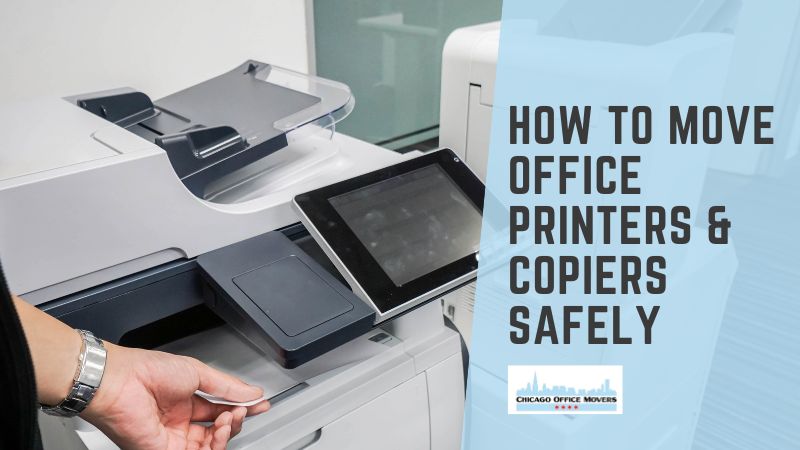
How to move office printers and copiers safely

The safest way to pack a printer for moving starts with the manufacturer’s instructions for your exact model. Shut it down properly, disconnect and label every cable, remove paper and loose accessories, and secure any moving parts the manual tells you to lock. If you still have the original box and foam, use them. Keep the printer upright and level and secure it in the vehicle so it cannot slide, tip, or take a hard hit.

The details matter because there is no universal way to prepare a printer for a move. Manufacturers have different instructions for toner, ink cartridges, printheads, trays, and other internal components, and those instructions can vary even between models from the same brand. A small desktop laser printer is also a very different moving job from a 400-pound multifunction copier.

This guide walks office managers, facilities teams, and IT staff through the process of moving an office printer or copier safely, from preparation and packing to transportation, setup, and the first test print at the new location.

Key Takeaways

  • Follow manufacturer instructions: Different printers and copiers have specific requirements for transporting toner, ink cartridges, trays, and internal components.
  • Prepare equipment before packing: Shut down properly, label cables, remove loose accessories, and document network settings.
  • Use appropriate packing materials: Original packaging, foam padding, moving blankets, and protective wrapping help reduce the risk of damage.
  • Keep printers upright: Most models should remain upright and level during transportation to prevent leaks and internal damage.
  • Use professional movers for large copiers: Heavy commercial copiers may require specialized moving equipment, careful route planning, and coordination with building management.

What Is the Difference Between Moving a Printer and an Office Copier?

Before you start packing, identify the type of machine you’re moving. Its size, weight, design, and internal components will determine how much preparation, equipment, and help you need.

  • Desktop printer: A compact unit that sits on a desk or shelf. Most can be boxed and carried by one person.
  • Office printer: A larger workgroup printer that may have extra paper trays, a stand, or a cabinet base.
  • Multifunction printer (MFP): A machine that prints, scans, copies, and sometimes faxes. MFPs range from tabletop units to floor-standing models.
  • Office copier: A large commercial machine, often with finishers, sorters, and multiple paper drawers. Many weigh several hundred pounds and contain delicate optics and drive components.

The larger and more complex the machine, the more you need to follow manufacturer-specific steps and use professional handling.

How Do You Prepare an Office Printer or Copier for Moving?

Most printer damage during a move starts with skipped preparation, not rough handling. Before anyone lifts or moves the machine, take a few minutes to prepare it properly:

  • Find the manufacturer's moving or transport instructions: Search the model number plus "moving" or "transport" on the manufacturer's support site, or check the user manual.
  • Check whether the machine is leased: Many copier leases and service agreements require you to notify the leasing company, or have their technician prepare the machine, before it moves. Moving it yourself could void coverage.
  • Photograph the setup: Capture the back panel with cables connected and any attached accessories.
  • Record the model and serial number: Make note of these numbers as well as the meter reading on copiers, which leasing companies often use for billing.
  • Save the network settings: Print a configuration page or have IT record the IP address, scan-to-email and scan-to-folder destinations, and any address book.
  • Shut it down properly: Use the power button and wait until the machine is fully off before unplugging.
  • Disconnect and label every cable: After doing this, remove the paper.

How Do You Pack an Office Printer for Moving? (Step-by-Step)

Packing an office printer takes more than putting it in a box and wrapping it in padding. Follow these steps to protect the machine during the move and defer to the manufacturer’s instructions whenever they differ.

Step 1: Turn Off the Printer Correctly

Don't pull the plug while the printer is running. Many printers park the printhead or scanner carriage during shutdown, and cutting power early can leave those parts loose inside. Press the power button and wait until the machine goes completely quiet and dark.

Step 2: Disconnect and Label Cables

Take a photo of the back panel first. Then disconnect the power cord, Ethernet cable, USB cable, phone or fax line, and any accessory cables. Label each one, and bag the cables together so they travel with the printer.

Step 3: Remove Paper and Loose Accessories

Empty every paper tray. Remove output trays, document feeders, or add-on trays if the manual says they detach for transport. Pack small parts in a labeled bag or box.

Step 4: Secure Moving Components

Depending on the model, you may need to lock the scanner carriage, secure the printhead, close or tape down covers, or install shipping locks. Some machines have a physical lock switch, while others handle it through a menu setting. Don't remove internal parts unless the manufacturer tells you to.

Step 5: Protect the Printer

The original box and foam inserts give the best protection because they were designed for that exact machine. If you don't have them, wrap the printer in a plastic bag or stretch wrap to keep out dust. Add foam padding or bubble wrap, use cardboard corner protectors, and choose a sturdy box only slightly larger than the printer. Larger equipment usually gets moving blankets and stretch wrap instead of a box.

Step 6: Keep It Upright and Level

Most manufacturers instruct users to keep printers upright and level during transport. Tilting or flipping a printer can spill toner or ink inside the machine and knock internal parts out of alignment. Mark "THIS SIDE UP" on the box and load it so it can't slide or tip.

Should You Remove Toner Cartridges Before Moving a Printer?

It depends on the model. There is no universal rule, so don’t assume toner should always be removed before a move.

Some manufacturers recommend removing toner cartridges for certain types of transport, such as shipping or a long-distance truck ride. Others recommend leaving them installed to keep internal components in position. Follow the instructions for your specific model.

If the manual says to remove the toner, seal each cartridge in a plastic bag, keep it level, and protect it from heat and direct light. If you can’t find clear model-specific guidance, contact the manufacturer or your copier service provider before making a guess.

How Do You Pack an Inkjet Printer Without Spilling Ink?

Inkjets carry a different risk: liquid ink. To move one without leaks:

  • Leave cartridges installed unless the manual says otherwise, since removing them can let printheads dry out.
  • On ink tank printers, close and secure every tank cap, and run any transport mode the printer offers.
  • Keep the printer level and never turn it on its side or upside down.
  • Place a plastic bag around the printer before packing it as a backup against leaks.

How Do You Safely Move a Heavy Office Copier?

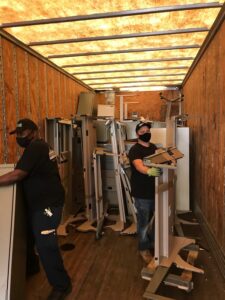
A floor-standing copier is closer to machinery than to office furniture. Commercial MFPs can weigh hundreds of pounds, and their weight sits high and uneven, so they tip easily. This is not a job for two employees and a hand truck.

  • Before the move: Confirm the machine's weight and dimensions from the spec sheet. Follow the manufacturer's or service provider's prep steps, record the serial number and meter reading, and remove or secure finishers and trays as instructed. Cover the glass and control panel with padding.
  • During the move: Keep the copier upright and avoid unnecessary tilting. Use equipment rated for the weight, such as a heavy-duty dolly or pallet jack. Roll it slowly over thresholds and elevator gaps. In the truck, strap it to the wall so it can't shift, and keep it away from other cargo.
  • After the move: Inspect it for visible damage, then let the machine sit before powering it on. A copier brought in from a cold Chicago truck can build condensation inside, so give it time to reach room temperature first. Then reconnect cables, reload the trays, and run test prints, copies, and scans.

How Do You Pack a Printer for Moving Without the Original Box?

The original packaging is always the best option. Without it, use a sturdy double-wall box sized close to the printer, foam padding on every side, cardboard corner protectors, and enough cushioning that the printer can't move when you shake the box. Large machines are better blanket-wrapped, stretch-wrapped, or strapped to a pallet. Bubble wrap tossed into any box you have lying around isn't enough.

What Packing Materials and Equipment Do You Need to Move Office Printers?

SupplyWhat It Does
Original box and foamFits the exact model for the best protection
Sturdy moving boxHolds desktop units when the original is gone
Foam padding and bubble wrapAbsorbs shock and fills empty space
Cardboard corner protectorsProtects edges and corners from impact
Moving blankets and stretch wrapCovers large machines and keeps blankets in place
Cable bags and labelsKeeps cords organized for reconnection
Packing tapeSeals boxes and secures covers
Equipment dolly and moving strapsMoves heavy units and secures them in the truck
PalletSupports large commercial equipment during transport

How Do You Move Heavy Printers and Copiers in Chicago Office Buildings?

Moving a printer across the room is easy. Getting a copier from a 30th-floor suite in the Loop to a loading dock is another story. Before moving day:

  • Measure the whole route: Check every doorway, hallway turn, and elevator door against the machine's width, depth, and height.
  • Reserve the freight elevator: Many Chicago office buildings require booked elevator times and limit moves to evenings or weekends.
  • Confirm loading dock access: Make sure to check truck height limits as well.
  • Protect the building: Lay floor runners, pad elevator walls, and guard door frames.
  • Get the certificate of insurance (COI) right: Most property managers require a COI from your movers before they allow equipment through the building.

Stairs are the hardest part. A heavy copier should never go down a stairwell without trained crews and the right equipment. For more on building requirements, see our Chicago high-rise office moving guide.

How Do You Set Up an Office Copier After Moving?

A copier that arrives safely but can't print is still a problem. Before the move, confirm the new space has the right outlet and circuit, since many large copiers need a dedicated line. Make sure a live network port sits near the planned spot.

After it's in place, reconnect the cables using your photos and labels. Have IT reapply the network and IP settings, then rebuild scan-to-email and scan-to-folder destinations. Load the paper trays, check that finishers work, and run a print, copy, and scan test. Note the meter reading again for your lease records.

What Printer and Copier Information Should You Document Before Moving?

Keep one record per machine with:

  • Manufacturer, model, and serial number
  • Meter reading
  • IP address and network details
  • Accessories, paper trays, and finishing equipment
  • Current and new location
  • Lease information and service provider contact

What Are the Most Common Mistakes When Moving Office Printers and Copiers?

  • Unplugging the machine before it finishes shutting down
  • Forgetting to label cables
  • Leaving paper in the trays
  • Treating every printer the same instead of following its manual
  • Removing toner when the manufacturer says to leave it, or the reverse
  • Tilting a machine on its side
  • Moving a large copier without proper equipment or enough people
  • Skipping doorway and elevator measurements
  • Moving leased equipment without checking the lease
  • Forgetting to test the machine after the move

When Should You Hire Professional Movers for Office Printers and Copiers?

A desktop printer is usually a reasonable DIY job. Bring in professionals when:

  • The machine is too heavy for two people to handle safely
  • It has multiple trays, a cabinet base, or finishing accessories
  • It has to change floors, use a freight elevator, or go down stairs
  • It needs to travel by truck
  • The equipment is leased, or the manufacturer requires professional relocation
  • You're moving several machines as part of a larger office move
  • Your business can't afford printers being down for days

It helps to know who does what. Your copier dealer or service provider may need to handle the technical side, such as deinstallation, transport locks, and reinstallation. A commercial moving company handles the physical side: protecting the building, moving the machine safely, securing it in the truck, and placing it in the new office. On many moves, the two coordinate.
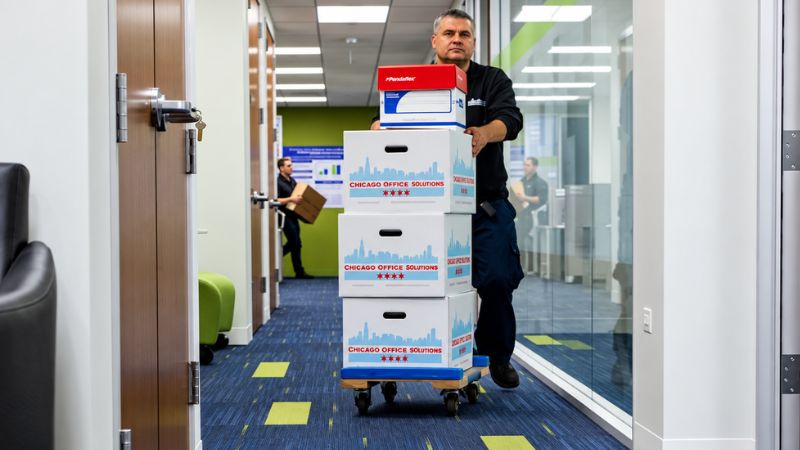
Chicago Office Movers team in action lifting boxes

Professional Office Printer and Copier Moving Services in Chicago, IL

Moving a printer across the office is one thing. Moving a heavy copier through a Chicago high-rise, loading it into a truck, and getting it safely into a new office is another. The right equipment, route planning, packing, and handling can make the difference between a smooth relocation and a damaged machine or unexpected downtime.

Chicago Office Movers handles commercial moves throughout Chicago and the surrounding suburbs, including the packing and transportation of heavy equipment such as printers and copiers. The company’s moving teams can also coordinate the broader relocation, from planning and packing to working with building management and setting up equipment at the new location.

Chicago Office Movers moves printers, copiers, and office equipment for businesses across Chicago and the suburbs. Our team handles machinery moving, packing, and crating, and our Teamsters 705 union movers work in union-only buildings. Call 312-244-2246 or request a free move plan proposal to get started.

Frequently Asked Questions About Moving Office Printers and Copiers

Can you leave toner in a printer when moving?

Sometimes. Some models are designed to travel with toner installed, while others should have cartridges removed for certain kinds of transport. Check your printer's manual or the manufacturer's support site for your exact model.

Can you lay a printer on its side when moving?

No, in most cases. Laying a printer on its side can spill toner or ink inside the machine and shift internal parts. Keep it upright and level unless the manufacturer specifically says otherwise.

Can you move a printer without the original box?

Yes. Use a sturdy box sized close to the printer, foam padding on all sides, and corner protectors so it can't move inside the box. Large printers and copiers are better protected with moving blankets, stretch wrap, or a pallet.

How many people does it take to move a large copier?

It depends on the copier's weight, the route, and the equipment. A large floor-standing copier usually needs at least two trained movers with a heavy-duty dolly, and more for stairs or tight turns.

Can I move an office copier myself?

A small tabletop copier, maybe. A floor-standing commercial copier, it's not recommended. These machines are heavy and easy to tip, and moving a leased copier yourself may violate your lease or service agreement.

How do you move a printer down stairs?

Small printers can be boxed and carried by two people, keeping the box level. Heavy copiers need trained crews and stair-rated equipment, and many should use a freight elevator instead.

Contact Us

  • This field is for validation purposes and should be left unchanged.
  • MM slash DD slash YYYY
How to Safely Pack Fragile Office Items for a Move

How to Safely Pack Fragile Office Items for a Move

How to Safely Pack Fragile Office Items for a Move

Office relocations require careful planning, especially when moving fragile office items. Whether you’re relocating glass-topped tables, sensitive electronics, or valuable artwork, proper packing is essential for minimizing the risk of damage during the move. Here’s a guide on how to pack delicate office equipment and furniture for a safe and efficient office relocation.

What are Fragile Office Items?

Anything described as fragile can be easily broken or damaged. Offices contain an abundance of fragile goods and equipment. The conference room may contain glass-topped tables, and the management offices may be furnished with glass-topped desks—all of which are extremely fragile.

Today’s offices operate on complex electronic systems. When relocating, it’s necessary to pack up sensitive tech equipment, such as computers, monitors, and printers. Fragile items like these can be damaged by the impact if dropped during the moving process.

Offices with sophisticated designs may need to move marble or stone worktops. These fragile goods should be handled with special care to prevent damage. Similarly, framed artwork and antiques that decorate offices require careful packing to remain in pristine condition.

Packing Fragile Office Items: Step-by-Step Guide

Preparing for a relocation means it’s necessary to pack up the whole office. While employees can pack their own belongings and contribute to packing the rest of the office, it requires time during working hours. Conversely, let professional movers handle the packing to save time.

1. Packing Glass Tables

When opting for DIY packing, disassemble glass tabletops. Remove the legs and dismantle the fragile glass frames. Pack these components separately. When unscrewing the table legs, drop the screws into a sealable plastic bag and tape it to the table so it does not become lost during the move.

Wrap the glass top with packing paper. Secure the paper with tape but be sure to prevent the adhesive from coming into contact with the glass. Next, cover the tabletop with bubble wrap, with the bubbles facing inward. Place the wrapped glass into a specialty telescopic box for maximum protection.

2. Packing Tech Equipment

Sensitive electronics should be packed with care to streamline the reinstallation process at the new office. Before packing, back up all important files to an external hard drive or cloud-based storage to prevent data loss. Also take photos of the setup, which can be invaluable during reassembly.

Disassemble and label cables and cords. Box the devices in the original packaging, when possible, which is designed to provide optimal protection. Wrap the tech in bubble wrap and place them in boxes with cushioning. Pack keyboards and mice in smaller boxes or bags to maintain organization.

Utilize anti-static bubble wrap for packing the electronics. If the original boxes are unavailable, select sturdy, corrugated boxes to pack the equipment. Choose boxes that are slightly larger than the devices to allow room for protective padding, such as packing peanuts.

3. Packing Office Artwork and Antiques

Office artwork and antiques are vulnerable to the bumps and jostles of the moving process. Appraise the valuables prior to packing them, in case they are damaged during the relocation. Avoid wrapping wooden antiques in bubble wrap, since multiple layers can damage the porous wood surface.

Secure fragile parts, such as drawers or doors, but avoid using tape to do so. Cover the antiques with moving blankets, which can keep these parts securely closed. Next, add padding to the outside of the moving blankets. Remove any small pieces and store them carefully.

4.Marble-top Tables

Marble is a heavy material but can be easily damaged during a move. Protect these fragile goods by wrapping them in moving blankets. Ensure the blankets cover the pieces from the top and wrap around the bottom. A wardrobe box can be effectively used to further protect the marble.

Upon purchasing a special carton or crate to house the marble components during the relocation, pack no more than one marble piece inside. Keep the carton or crate upright and never lay it flat while storing or moving it. Clearly mark the carton as fragile.

Tips for Packing Fragile Office Items

When packing fragile office items, bear in mind a few general strategies:

  • Use Strong, New Boxes: Always choose new, sturdy boxes designed for office moves. Avoid old, flimsy boxes that can collapse under pressure.
  • Separate Items: Avoid packing fragile items together to reduce the risk of breakage. Use bubble wrap and packing paper to cushion each item.
  • Label Boxes: Clearly mark all boxes containing fragile items to alert movers. You can also color code the boxes for a better organization.

3 Materials You Can Use To Keep The Office Fragile Items Safe

When preparing for an office relocation, using the right packing materials can make all the difference in keeping your fragile items intact. Whether you're moving high-end tech, delicate décor, or glass furnishings, these three materials are the go-to choices for protecting your office essentials during transport.

Top 3 Packing Materials to Protect Fragile Office Items

Bubble Wrap:

Bubble wrap is a must-have when it comes to safeguarding breakable office items. Its air-filled pockets provide a cushioned barrier that helps absorb shocks and vibrations during loading, transport, and unloading. This makes it especially effective for wrapping fragile objects like monitors, computer towers, glass table tops, and framed artwork.

How to Use It:

  • For best results, wrap the item completely with the bubble wrap, ensuring the bubbles face inward to protect the surface.
  • Secure the wrap with tape, but avoid taping directly onto the item itself.
  • When packing multiple items, stack them carefully and add extra layers of bubble wrap between each item to prevent shifting during the move.

Packing Paper:

Unlike newspaper, which can leave ink stains, packing paper is clean, pliable, and safe for delicate surfaces. It’s ideal for wrapping smaller items, filling in gaps inside boxes, or layering between stacked pieces to prevent scratches. Glassware, ceramics, and decorative office pieces benefit from being individually wrapped in packing paper to avoid direct contact with other items.

How to Use It:

  • Roll individual items, such as glassware and small office décor, in several layers of packing paper to ensure they are fully cushioned.
  • Use packing paper to fill any empty spaces in boxes, ensuring items don't shift during transport.
  • For larger, more fragile items, use the paper as a cushion around the item and layer it with bubble wrap for added protection.

Sturdy Corrugated Boxes:

Using high-quality, corrugated cardboard boxes is essential when transporting fragile office goods. These boxes provide structural strength and help distribute weight evenly, reducing the risk of contents being crushed. Double-walled boxes offer even greater protection for heavier or more delicate items.

How to Use It:

  • Choose boxes that are slightly larger than the items you're packing to allow for protective padding, such as bubble wrap or packing paper, around the contents.
  • For heavier items, like monitors or printers, use double-walled boxes for extra strength. For fragile items like glass or ceramics, use specialized boxes designed for these goods.
  • Label the boxes clearly as "Fragile" to ensure they are handled with care during the move.
  • To prevent crushing, pack the heaviest items at the bottom of the box and lighter, more fragile items on top.

Professional Office Movers that can Safely Handle Fragile Items

Safely packing fragile office goods for a move can be accomplished with the right skills and packing supplies. When your team is busy preparing for the relocation, save valuable time by delegating the packing and unpacking to the experienced commercial movers at Chicago Office Movers.

Our moving crews are equipped with sturdy boxes and packing supplies as well as expertise to safely pack your entire office. Whether you are moving precious antiques, sensitive IT servers, or other specialty items, we pack your possessions carefully to prevent the risk of damage during the corporate relocation.

As a part of our expert packing services, we label boxes to ensure proper placement at the new office. You receive a full inventory of all goods packed. The items are packed in boxes and crates guaranteed to protect the contents. Plus, our crews unpack your items at the destination.

Our corporate moving services include additional conveniences, such as short- and long-term storage in our secure facilities. We offer insurance and service contracts. Moving crews are licensed, trained, and background-checked to give customers maximum confidence that their goods are in secure hands.

Whether you plan to move your company locally, long-distance or internationally, choose Chicago Office Movers for safe packing and seamless relocation. Call our Elk Grove Village, Illinois, office today for a free estimate and assign your corporate relocation to Chicagoland’s most trusted office mover.


Frequently Asked Questions


When packing delicate office lighting fixtures, first remove any bulbs and secure them separately. Wrap the light fixtures in bubble wrap or moving blankets, making sure to cushion the bulbs and other fragile parts. Place the wrapped lighting in a box that’s slightly larger than the item to allow room for protective padding. Label the box as fragile.

While it’s tempting to reuse old boxes, it’s better to use new, sturdy boxes for fragile items. Old boxes may have weakened over time and could fail to protect delicate items. If you must reuse boxes, make sure they are still in good condition with no tears, dents, or weak spots.

When packing office shelving units or bookshelves, remove all items from the shelves and disassemble any removable parts. Wrap individual shelves in bubble wrap or moving blankets and pack them separately. If the shelving unit is too large, protect it with moving blankets and ensure it is secured upright during the move.

Contact Us

  • This field is for validation purposes and should be left unchanged.
  • MM slash DD slash YYYY
how to unpack after moving to your new office

How to Unpack and Set Up Your New Office After Moving: Step-by-Step Guide


how to unpack after moving to your new office

Moving into a new office is an exciting milestone, but the unpacking process can quickly feel overwhelming when boxes fill every corner and your team is eager to get back to work.

Without a clear plan, productivity slows, frustration builds, and valuable time is lost. The key to a smooth transition is having a structured unpacking strategy that prioritizes essential operations, organizes teams, and minimizes downtime.

This comprehensive guide walks you through exactly how to unpack and set up your new office efficiently—so your business can get back to full speed as quickly as possible.

Quick Answer: How to Unpack After an Office Move

To unpack after moving to a new office, start by verifying your inventory, arranging furniture based on your floor plan, setting up IT systems and internet, and unpacking essential workstations first. Then organize shared spaces, remove packing materials, and make adjustments based on employee feedback.

Office Unpacking Checklist

Before diving in, use this quick checklist to stay organized:

  • Confirm all boxes, furniture, and equipment have arrived
  • Place desks, cubicles, and conference furniture
  • Set up internet, phones, and IT infrastructure
  • Unpack essential departments and workstations first
  • Organize shared supplies and filing systems
  • Remove empty boxes and packing debris
  • Gather employee feedback and make adjustments

Step-by-Step Guide to Unpacking Your New Office

1. Verify Inventory and Inspect Everything

Your first priority should be confirming that everything has arrived.

Review the inventory provided by your moving company and check:

  • All furniture and equipment
  • Department-specific boxes
  • IT hardware and accessories
  • Sensitive or high-value items

Having a well-organized inventory system before and after your move makes this process much easier and helps prevent missing items or confusion. If you want to improve how your business tracks and manages office assets, review these best practices for managing office inventory and supplies.

Take photos of any damage and report issues immediately. Addressing problems early prevents delays later.

2. Assign Roles and Create Accountability

Unpacking should never be left unstructured. Assign clear responsibilities before opening a single box.

Recommended roles include:

  • Project Lead (Office Manager): Oversees progress and coordination
  • Department Leads: Manage unpacking within their teams
  • IT Team: Handles all technology setup
  • Facilities Team: Manages layout, furniture, and logistics

This structure ensures accountability and prevents confusion.

3. Set Up the Office Layout First

Before unpacking, your physical workspace should be ready.

Use your floor plan (or create one on the spot) and:

  • Position desks, cubicles, and conference tables
  • Define team zones and departments
  • Ensure clear walkways and emergency access
  • Plan for both collaboration and focused work

Making layout decisions early prevents unnecessary rework later.

4. Prioritize IT and Infrastructure Setup

Your business cannot function without technology, so IT setup should happen immediately after furniture placement.

Focus on:

  • Internet and network configuration
  • Phone systems and communication tools
  • Server setup and security systems
  • Workstation connectivity

Run a full test of all systems before employees begin working to avoid disruptions.

5. Unpack Essential Workstations First

Once infrastructure is ready, shift focus to your employees.

Start with:

  • Computers, monitors, and peripherals
  • Phones and communication devices
  • Daily-use files and tools

Encourage employees to unpack their own desks so they can organize their space in a way that supports their workflow.

6. Use a Department-Based Unpacking System

Avoid opening boxes randomly. Instead, unpack by department.

Benefits of this approach:

  • Faster team setup
  • Better organization
  • Reduced misplacement of items
  • Clear progress tracking
  • Clearly label areas and ensure all boxes are delivered to the correct departments.

7. Follow a Structured Unpacking Timeline

A timeline keeps the process efficient and focused.

Day 1: Foundation

  • Inventory verification
  • Furniture placement
  • IT and network setup

Day 2: Operations

  • Employee workstation setup
  • Department organization
  • Shared space setup

Day 3 (if needed): Optimization

  • Final adjustments
  • Deep organization
  • Cleanup and finishing touches

This structured approach helps most businesses become operational within 24–72 hours.

8. Organize Shared Spaces and Storage Areas

Once individual workstations are set up, turn your attention to common areas.

Important spaces include:

  • Conference rooms (ensure tech is functional)
  • Break rooms (stock and organize essentials)
  • Supply rooms (label and categorize items)
  • Filing and storage areas (create logical systems)

Well-organized shared spaces reduce interruptions and improve efficiency.

9. Remove Boxes and Clean the Workspace

Clutter slows productivity and creates safety risks.

Immediately:

  • Break down empty boxes
  • Remove packing materials
  • Clear walkways and exits
  • Clean work areas

A clean, organized office helps employees feel settled and ready to work.

10. Conduct a Full Office Walkthrough

Before fully resuming operations, perform a walkthrough.

Check:

  • All workstations are functional
  • Internet and phones are working properly
  • Layout supports workflow
  • Safety standards are met

This step ensures nothing is overlooked.

11. Gather Employee Feedback and Make Adjustments

Once your team is working, ask for feedback.

You may discover:

  • Layout improvements
  • Storage inefficiencies
  • Workflow challenges
  • Opportunities for better collaboration

Making small adjustments early can have a big impact on long-term productivity.

12. Plan for Flexibility as Your Business Grows

Your office setup should not be static.

As your business evolves:

  • Teams may expand
  • Equipment may change
  • Workflows may shift

Build flexibility into your layout so your office can adapt without major disruptions.

What to Unpack in the First 24 Hours

To get your office operational quickly, prioritize:

  • Internet and network setup
  • Phones and communication systems
  • Employee workstations
  • Essential files and documents
  • Basic office supplies

Focusing on these essentials ensures your team can resume work with minimal disruption.

In addition, knowing what to pack first during the initial move can significantly impact how smoothly the unpacking process goes. Prioritizing essential items ahead of time allows your team to resume operations faster. You can learn more about this in our guide on what to pack first during an office move, which outlines how to prepare for a more efficient transition.

Common Office Unpacking Mistakes to Avoid

Avoid these common issues:

  • Failing to verify inventory immediately
  • Delaying IT setup
  • Unpacking without a clear plan
  • Poor labeling during packing
  • Letting boxes sit unopened for days
  • Ignoring employee workflow needs

Avoiding these mistakes can save significant time and frustration.

How to Reduce Downtime After an Office Move

Downtime can impact both revenue and client relationships.

To reduce it:

  • Plan your move and unpacking process in advance
  • Schedule the move outside business hours if possible
  • Use labeled and organized packing systems
  • Assign clear responsibilities
  • Consider professional unpacking services

Businesses that follow these steps can often resume operations within 1–2 days.

How Professional Movers Can Help With Packing, Unpacking and Moving

While relocating to a new office is an exciting event, the packing process is often stressful. Chicago Office Movers takes the stress out of your move with a comprehensive range of services designed to streamline your corporate relocation and prevent unnecessary angst.

commercial movers helping with the corporate relocation process and set up

Our licensed and insured commercial movers are experts at packing offices of any size. We successfully pack a range of items, from fragile artwork to bulky machinery. Plus, our crews are background-checked to assure our valued customers that their goods are in secure hands throughout their corporate move.

We are also available to unpack your office goods at the new location. Our packing services minimize overall moving time as well as corporate downtime. You receive a full inventory of all items packed so you can quickly account for all your belongings.

Additional conveniences offered include short- and long-term storage options, insurance and service contracts and professional assistance with planning the relocation. Since we specialize in commercial moves, our specialists can provide you with expert tips to ensure a seamless office relocation.

Whether you intend to move IT systems, science labs, or cubicles, Chicago Office Movers is prepared to help you pack and relocate with ease. We are available to relocate your company locally, long-distance or internationally. Call our Elk Grove Village, Illinois, office for a free estimate today at 312-244-2246 !


FAQs

How long does it take to unpack after an office move?

Most offices can be unpacked and operational within 1 to 3 days, depending on the size of the business, the level of planning, and whether professional movers are used. Smaller offices may be ready within 24 hours, while larger offices with complex IT systems can take several days. A structured unpacking plan and pre-labeled boxes can significantly speed up the process.

What is the 12-12-12 rule for decluttering?

The 12-12-12 rule for decluttering is a simple and effective method where you identify 12 items to throw away, 12 items to donate, and 12 items to return to their proper place.

This approach helps break decluttering into manageable steps, making it less overwhelming, especially during a move or office setup. It also creates a balanced system by reducing clutter, giving useful items a second life, and improving organization at the same time.

Many businesses use this rule during office moves to quickly sort through supplies, paperwork, and equipment before unpacking, helping create a cleaner, more efficient workspace from the start.

How do you prioritize departments when unpacking an office?

Prioritize departments based on business impact and operational needs. Customer-facing teams, leadership, and IT should typically be set up first, followed by support departments. This ensures critical operations resume quickly.

What are the most common challenges after moving to a new office?

Common challenges include misplaced items, delayed IT setup, unclear workspace organization, and employee adjustment issues. These can be minimized with proper planning, labeling, and a structured unpacking process.

Contact Us

  • This field is for validation purposes and should be left unchanged.
  • MM slash DD slash YYYY
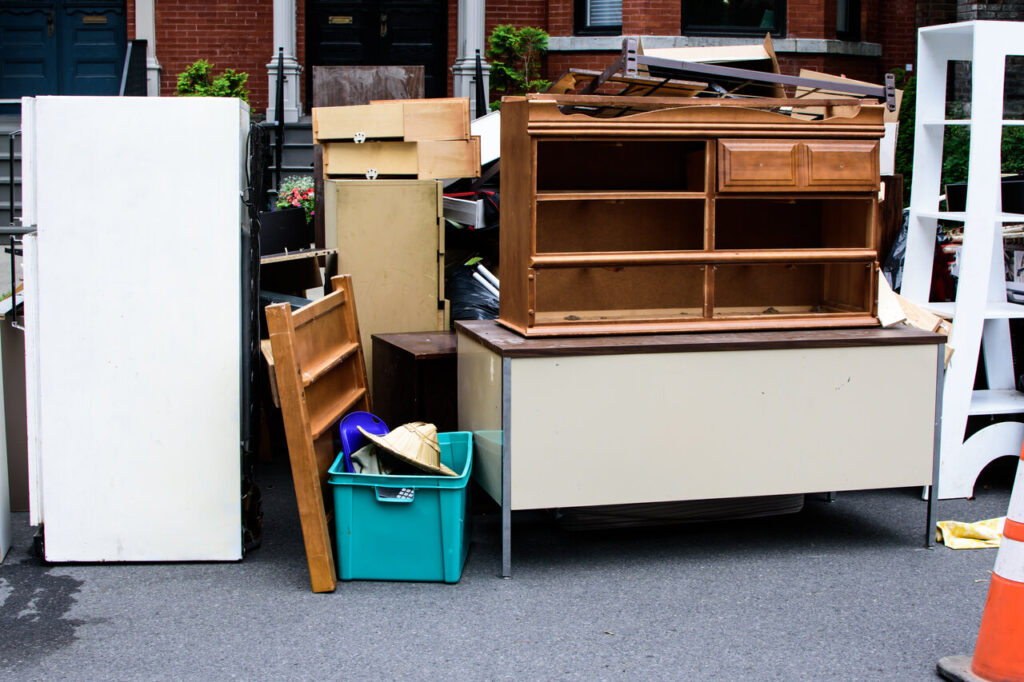
Items and old furniture on street outside house moving day or getting rid of junk concept

3 Steps on How to Purge at Work Before Moving

How to Purge at Work Before Moving

Office moves are stressful, requiring advanced planning, strategic packing and coordinating with employees. A successful move, however, can be readily achieved by packing and relocating less stuff. Here are three effective tactics to help you purge at work before the big moving day.

The Benefits of Downsizing Before Moving

Downsizing is one reason many business owners shift to a smaller office space. Rent is usually cheaper in an office with less square feet. The cost of utilities is likewise less expensive. Property taxes decrease in proportion to the smaller-sized building. Less furniture and supplies are also needed.

Reducing the number of items to be moved is critical when moving to a smaller office space. Imagine dragging a five-foot executive desk from a large office into one more restricted in size. In such cases, donating or selling the executive desk and opting for less extravagant furniture is practical.

Paper files, too, consume large amounts of office or storage space. The massive files and piles of paperwork contribute to a chaotic office environment. It makes sense to reduce the clutter of paper to focus on the work at hand and avoid drowning in a flood of files.

The advantages of relocating to an office with less stuff are clear. However, additional benefits help the business owner relocate seamlessly. An office move is simply cheaper when moving crews are obliged to pack, load and transport fewer office belongings.

For example, relocating a 3000-square foot office with huge amounts of files and furniture will cost an average of $1500 to $9000. Moving a 10,000 square foot office space runs from $5000 to $30,000. But moving fewer items, such as in a 1500 square foot space, costs $750 to $4500.

By eliminating surplus supplies, files, furniture and other office goods, a relocation will be significantly more cost-effective. This is mainly because moving quotes are based on the length of time it takes to load the truck, the expected difficulty, and the number of moving personnel.

Furthermore, the level of stress on moving day is drastically reduced when transporting less office goods to the new space. At the destination, employees have fewer boxes to sort through and unpack. Less furniture means less reassembly time is required upon arrival.

1. Evaluate Office GoodsOffice Decor and Supplies

How do employees declutter at work before moving day? The first step is to evaluate the necessity of each item in the office. If an item has not been utilized in the last six months and using it in the next six months is unlikely, consider donating or selling it.

Remember that holding on to items that may (but not definitely) have some use left in them does not help employees move toward their goal of purging the workspace. Rather, eliminate low-cost items that can be easily replaced, if needed, in the new work environment.

2. Digitize Paperwork

Decluttering requires organizing the filing system if the office still utilizes paper files. Organization may be accomplished via date, subject matter, or type of document. Better yet is to eliminate unnecessary paperwork altogether—the bonus is that an uncluttered office helps boost productivity.

Instead of packing up the endless paperwork and files, consider making use of advancements in technology. Paperless offices are good for the environment. Plus, electronic documents are easier to access, increase security, reduce paper supply costs, and help to decrease human error.

Store paperwork using cloud-based applications rather than holding on to mountains of physical documents. Start invoicing electronically and sending statements virtually. Use scanning apps and document management software. At the end of the paper purging process, recycle the inessential physical documents.

3. Sell, Donate or Recycle Furniture

Reconsider relocating outdated, unused, or broken office furniture. Many business owners simply replace old furniture once they arrive at their new destination. Getting rid of bulky furniture is a large project, but three options are ideal for properly disposing the office furniture.

Sell desirable office goods to third-party companies. These companies remove the furniture and pay a lump sum. When selling, evaluate the furniture quantity, condition, and age. Sometimes products may not be in demand, which leads to the second option of donating.

A range of companies accept surplus office furniture and give them to schools and charities. These companies manage the labor and logistics of handling the donated goods. The tax write-off for the office furniture donations can be attractive to business owners.

If the furniture is unusable in its current condition, recycle or dispose of it. Local recycling centers will separate the items into metals, plastics, and timbers. Recycling helps to conserve natural resources, while helping office managers achieve their goal of purging the workspace.

A stress-free office move takes long-range planning. Smaller offices may require only three months of preparation time; medium to large offices may demand at least six months of planning. Purging the workplace, however, can be gradually done in daily increments of 15 minutes or more.

Work with a Professional Commercial MoverShipping Out Old Moving Boxes - Chicago Office Movers

If plans for relocating are on the horizon, you will benefit from the assistance of professional packing crews from Chicago Office Movers. Each of our packers is licensed and insured. We are experienced and trained, so your office belongings reach their destination safely and securely.

Chicago Office Movers specializes in commercial moving. Local businesses place full trust in our professionalism, reliability, and reputation for making office transitions as smooth as possible. We label all boxes, provide an inventory of packed belongings, and unpack the items at the destination.

Relocation is an integral part of our comprehensive commercial moving services. Small and large companies benefit from our free estimates, licensed and background checked moving crews, assistance with planning and executing the corporate relocation, insurance contracts and long- and short-term storage options.

Our professionals are experienced in packing and transporting a wide range of office goods, from furniture to IT systems. Choose Chicago Office Movers for all your commercial packing, storage and relocation needs. Based in Chicago, we are available to help you move locally, long distance or internationally.

Get a Free Estimate

Give us a call at 312-244-2246 or fill out a contact form for a free estimate on your next commercial move.

Color Labeling Moving Box

How to Color Code Moving Boxes

Color Labeling Moving Box

Relocating an office is a major event. A lot goes into packing and unpacking the office goods. When you are looking to reduce the stress associated with relocating an office, consider color coding the moving boxes. Here are five practical tips to smoothly transition from office to office.

Before packing up the office, make a conscious decision to donate or sell any unused office equipment or items that will no longer serve a functional purpose in the new space. Moving fewer items will be more organized, less stressful—and preferable.

Importance of Color Coding Boxes

Also prior to the move, business managers should communicate the contents of the boxes to the commercial mover. When surrounded by mountains of plain cardboard boxes, it can be challenging to correctly identify each one. Color coded moving boxes are the solution to this common predicament!

Unpacking is manageable when the movers and office personnel know what box belongs in each room. Each color assigned to an individual moving box should represent a particular zone. The copy room, for instance, should be assigned a certain color, and the breakroom kitchen a different one.

A piece of red tape, for example, may be placed on all the boxes containing storage items. The office supplies may be packed into multiple boxes with purple tape adhered to them. Color coding in such a way helps to quickly identify the contents of the boxes without unpacking them.

Such a tactic is extremely useful since the items that require immediate unpacking can be quickly identified. Knowing what is inside the boxes helps office managers seamlessly continue business operations without experiencing the disruptions caused by the avoidable hassles of unpacking.

1. Gather the right supplies.Business-Woman-Packing-Office

First and foremost, colored duct tape is necessary to color code moving boxes with ease. Large selections of colored duct tape may be found in local retail stores. Choose solid colored duct tape, as opposed to patterned ones, to facilitate quick and easy legibility.

Waterproof permanent markers are needed to write on the colored duct tape. If opting for colored duct tape, choose black permanent markers. The waterproof feature of the markers prevents the ink on the labels from smudging during rainy weather. Offices can always re-use the markers later.

2. Pack the boxes smartly.

In order for the color-coding process to work effectively, the boxes must be packed properly. Smart packing simply means packing similar items together in each box. Office supplies belong in a separate box, while important records should be packed together in a different one.

Mixing up the contents in each box may save on the number of boxes utilized during the move, but it also makes unpacking much more difficult than necessary. Labeling is also easier when the box contains only the items listed on the colored duct tape.

3. Label each box with details.

Each box should be labeled with descriptive information. Noting the contents of the box and what room it goes into is important. Write down the general weight of the box and whether or not it is fragile. Draw arrows to show which way the moving crew should hold the boxes.

4. Place the labels strategically.

The colored duct tape ideally should be adhered to the sides of the boxes. Some moving companies recommend only one side of the box needs to be identified with the tape. However, office personnel might go as far as placing the color-coded tape on multiple sides of each box.

Avoid placing the labels solely on top of the boxes. When the boxes are piled on top of one another in the moving truck, office employees will be unable to see the labels. Adhering the labels on the sides of the boxes allows staff to see them at first glance.

Upon arrival at the destination, the office manager in charge will be better able to direct moving crews as to where to place each box. Depending on the label, some boxes may not require unpacking right away. The color-coded strategy will thus serve its purpose.

5. Create a master list.Man-Writing-on-Clipboard-in-Storage-Warehouse

Creating a master list of the colors assigned to each box is extremely helpful. Keep the master list in a safe place or with the office team member in charge of the move. Be sure the master list can be readily accessed upon arrival at the destination.

Consider using Google Docs or Google Sheets to create the master list. The ease of online programs allows users to access the document anywhere and on any device. Office managers may also want to print out a hard copy (but remember this can get lost during the move).

Another tip is to print several copies of the master list. Hang one master list in a highly visible spot on each floor of the new office space or in each room. Moving crews will reference the list, which facilitates the correct delivery of each box to the appropriate room.

Work with a Professional Mover

Packing up your office can take time away from business operations. Instead, assign the task of packing to an experienced and office mover, like Chicago Office Movers. Our highly efficient packing services are top notch and trusted by many local businesses.

Commercial Move Chicago

When choosing Chicago Office Movers to pack your office goods, you can expect careful handling of your fragile office equipment. Each item is organized, wrapped, and securely packed in sturdy boxes to ensure a smooth transition to your new office space.

Our union movers are trained and background checked, allowing area businesses to place full confidence in our professional packing services. As a part of our comprehensive moving services, we also unpack office goods. Our moving crews will place each box in its correct location at the destination.

Chicago Office Movers has served Chicagoland for the past 35 years. When you need an office relocation company to handle every aspect of your move, count on Chicago Office Movers.

Contact Us

We offer a free estimate for our moving and packing services to businesses in the Windy City. Give us a call at 312-244-2246.

Call us (312) 244-2246