


Review Us On Google
Call Us Now
312-CHI-CAGO

100% Customer
Satisfaction

Review Us On Google
Chicago skyline

Author Archive

Kari-Ann

Director of Marketing & Development Office: (847) 621-5176 Cell: (312) 497-3203 At Chicago Office Movers, Kari-Ann is our Director of Marketing & Development. As the master of visibility, she is responsible for all things Branding and Marketing related. Kari-Ann comes to us with experiences in Marketing for a multi-brand and multi-location company, the service industry, non profit marketing event planning and fundraising, and retail management. She is the Chair of the Board for the Schaumburg Business Association 2021 & 2022, a member of the Elk Grove Village Chamber Board of Directors, and past chair and top fundraiser for the Northwest Suburban Walk To End Alzheimer’s. Kari-Ann received her Bachelor of Business Administration in Marketing from Western Michigan University. She is Master Certified in Constant Contact Email Marketing and has held numerous social media training classes.

how much does it cost to move an MRI Machine

MRI Machine Relocation Cost: Average Prices, Key Factors & What to Expect in 2026

MRI Machine Relocation Cost: Average Prices, Key Factors & What to Expect in 2026

how much does it cost to move an MRI Machine

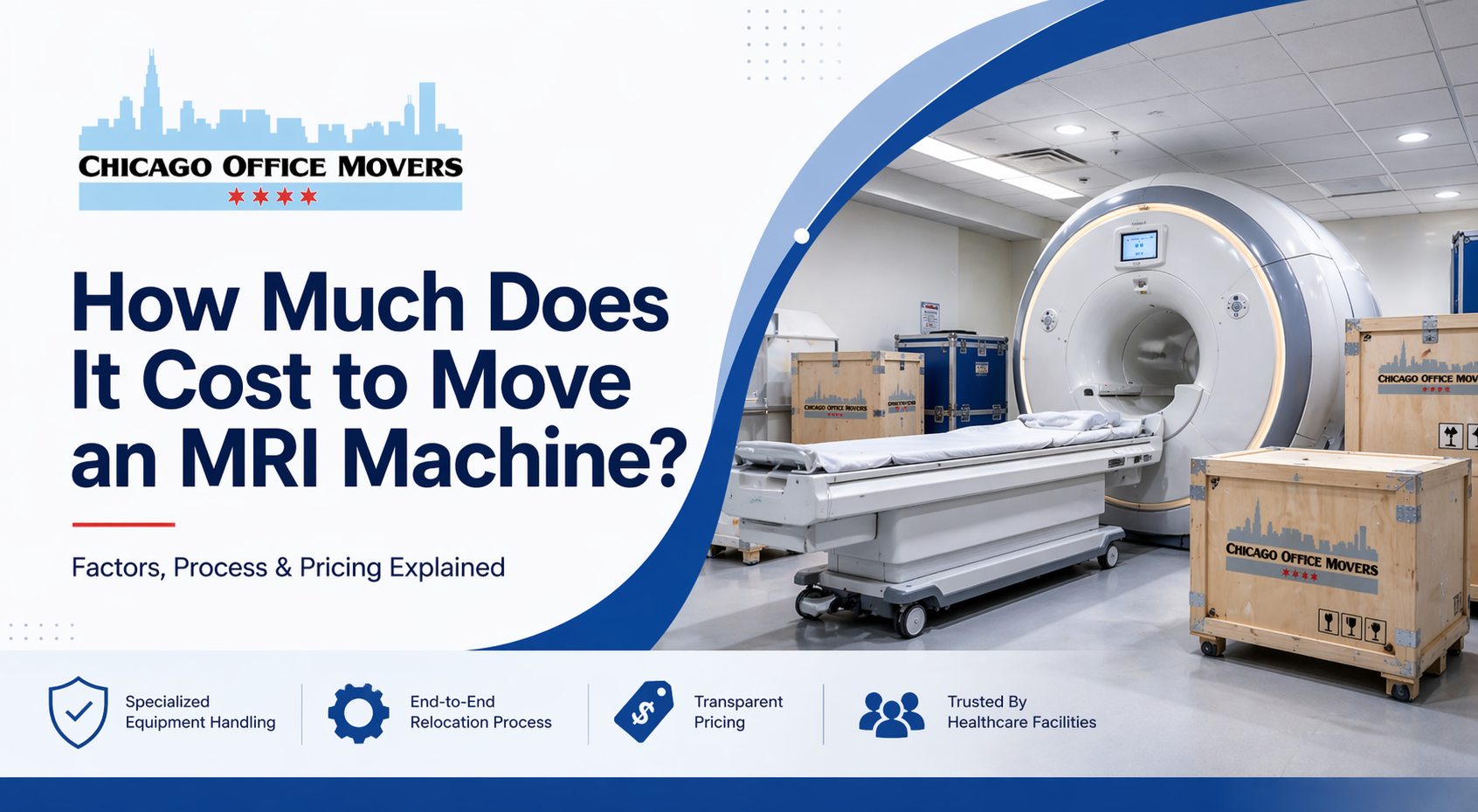
Moving an MRI machine costs between $60,000 and $100,000 on average, though highly complex relocations can exceed this range significantly. This guide covers every factor that affects the price, walks through the full relocation process step by step, and explains what hospital administrators, imaging center directors, and facilities managers need to know before scheduling an MRI move.

Whether your facility is upgrading to newer imaging technology, relocating to a new building, or decommissioning aging equipment, understanding the cost and process upfront helps you plan your budget, timeline, and vendor selection with confidence.

What Is an MRI Machine and Why Is Moving One So Complex?

MRI (magnetic resonance imaging) machines are among the most sophisticated and expensive pieces of medical equipment in operation today. They are used across a wide range of healthcare settings including acute care hospitals, orthopedic clinics, outpatient imaging centers, breast imaging centers, and academic research institutions engaged in neuroimaging and translational research.

Because MRI machines can weigh up to 80,000 pounds, contain powerful superconducting magnets, and house fragile electronic components, relocating them is a specialized discipline that demands licensed rigging professionals, custom transport vehicles, and meticulous planning. A standard commercial mover cannot perform an MRI relocation safely or legally.

MRI equipment is typically replaced every 10 years due to end-of-life wear, increasing breakdown frequency, evolving regulatory standards, or the desire for higher resolution imaging. When new equipment arrives, the old machine must be decommissioned and removed. Pre-owned MRI systems may also be resold and transferred to another facility, or moved to a different wing within the same building, both of which require the same professional relocation standards.

How Much Does It Cost to Move an MRI Machine?

The average cost to move an MRI machine ranges from $60,000 to $100,000. Complex relocations involving structural modifications, long-distance transport, high-field-strength magnets, or new-build destination sites regularly exceed this range.
The following factors have the greatest influence on total cost.

  • Distance of the move. A local intra-facility move within the same building costs less than a cross-town move, which in turn costs less than an interstate relocation. Long-distance transport may require special hauling permits, escort vehicles, and overnight accommodations for the moving crew, all of which add to the total.
  • Machine weight and magnet field strength. A 1.5 Tesla (T) cylindrical superconducting scanner weighs up to 10,000 pounds, while a 3.0 T scanner can weigh up to 17,000 pounds. High-field-strength magnets require specialized transport trucks and additional rigging equipment. The full MRI system including the magnet bore, gradient coils, electronic cabinet, patient table, and RF cage can collectively weigh far more.
  • Building and structural modifications. Facilities with standard-width corridors and doorways often require wall removal, roof opening, or crane access to extract or install the MRI system. Each structural modification adds contractor time, permit fees, and restoration costs. Complicated building layouts extend the relocation timeline from 3 to 5 days to longer, which drives up labor costs.
  • Site preparation at the destination. When the receiving facility has never housed an MRI system before, the room must be prepared with RF shielding, cryogen exhaust venting, special flooring, dedicated electrical feeds, and cooling systems before the machine can be installed. This preparation work adds significant time and cost compared to moving into an already-equipped MRI suite.
  • Number of peripheral components and accessories. Additional MRI accessories such as patient monitoring equipment, specialized coils, workstations, and cooling units each require separate disassembly, custom crating, and reassembly. More components mean more labor hours and more opportunities for damage if not handled correctly.
  • Insurance coverage. Because a new MRI machine can cost between $1 million and $3 million, insuring the equipment during transport is essential. A moving company's standard cargo coverage is rarely sufficient for medical imaging equipment of this value. Purchasing dedicated equipment insurance adds to the project cost but is a prudent financial decision.
  • Permits and regulatory compliance. Local jurisdictions may require special hauling permits for oversized loads, crane operation permits, and building modification permits. These fees vary by municipality and can add several thousand dollars to the total project cost.
  • Timing and seasonal factors. In cities like Chicago, moving an MRI machine during winter requires advanced logistics planning to account for icy roads, extreme temperatures, and potential weather delays. Scheduling delays add labor costs and may require temporary equipment storage.

The MRI Machine Relocation Process: Step by Step

A professional MRI relocation follows a strict sequence designed to protect both the equipment and the people involved in the move. Here is what the process looks like from start to finish.

Step 1: Pre-Move Assessment and Structural Planning

The relocation begins weeks before the physical move. Professional movers conduct an on-site assessment of the current facility, documenting the building layout, corridor widths, elevator capacities, loading dock access, and any obstacles along the exit path. A parallel assessment is conducted at the destination facility.

Based on these assessments, the moving team determines whether walls need to be removed, whether the roof needs to be opened, or whether a crane will be required. Structural modifications are planned and permitted in advance. The exit and entry paths are mapped in detail, and a timeline with milestones is established. This planning phase is what separates qualified MRI movers from general heavy equipment movers.

Step 2: Disassembly by Certified Technicians

Once the move date arrives, certified MRI technicians begin systematic disassembly of the machine. Fragile electronic components are removed first and packed individually in anti-static, padded crating materials. The magnetic shroud and patient table are detached using specialized tools that prevent damage to the magnet assembly and bore surfaces.

All cables, ventilation hoses, cryogen lines, and data connections are carefully labeled, photographed, and stored to ensure accurate reassembly. Strict protocols govern every step to preserve the structural and functional integrity of the machine.

Step 3: Transport of the MRI Components

After disassembly, the heavy components are loaded and transported. The superconducting magnet, which represents the most sensitive and valuable part of the system, is transported in a specialized vehicle engineered to protect it from vibration, shock, and temperature extremes. Smaller components are placed in custom crates sized to each part.

For high-field magnets such as 3.0 T systems, transport trucks must meet specific load ratings and vibration dampening standards. Long-distance moves require route planning to avoid low-clearance bridges, weight-restricted roads, and areas where the vehicle's footprint would exceed local regulations.

Step 4: Reinstallation and Recalibration

At the destination, the process reverses. Each component is repositioned in the correct sequence, electrical and data cables are reconnected according to the labeled documentation from disassembly, and the machine undergoes a full system check. Superconducting magnets typically require a ramp-up period and may need re-shimming and gradient calibration before the machine is clinically operational.

When the receiving facility is a new build or has never hosted an MRI system, reinstallation extends significantly. The RF-shielded room must be validated, the cryogen vent system tested, and electrical feeds verified before the machine is powered up. This extended timeline adds labor hours and increases overall project cost.

MRI Relocation Timeline: What to Expect

A straightforward intra-facility MRI move within a prepared room typically takes 3 to 5 days from physical move start to system operational. A more complex relocation involving structural modifications, long-distance transport, and site preparation at a new facility can take 2 to 4 weeks when pre-move planning and post-move calibration are included.

Downtime for your imaging department should be factored into your planning. Facilities that rely heavily on MRI revenue may want to schedule the relocation during lower-volume periods or arrange temporary imaging access at a nearby partner facility.

Types of Facilities That Need MRI Relocation Services

Several types of organizations regularly require professional MRI moving services.

  • Acute care hospitals utilize MRI machines during inpatient care and emergency diagnostics. These facilities often have complex building layouts and operate 24 hours a day, making move scheduling and access coordination particularly important.
  • Orthopedic and specialty clinics rely on MRI imaging to evaluate joints, spinal conditions, and soft tissue injuries. These smaller facilities may have tighter corridor constraints than large hospital campuses.
  • Outpatient imaging centers provide scheduled diagnostic scans and often upgrade their MRI equipment on a regular cycle to attract referrals from physicians seeking the latest imaging capabilities.
  • Breast imaging and oncology centers use MRI as a primary screening and staging tool and require the same level of precision relocation as any other clinical setting. If your practice is also planning a broader facility move alongside your equipment relocation, our guide on relocating a medical practice in Chicago covers the full process in detail.
  • Academic medical centers and research institutions use high-field MRI systems, sometimes including 7.0 T research-grade magnets, for neuroimaging, translational research, and clinical trials. These systems are often the most expensive and most technically demanding to move.

How to Choose an MRI Moving Company

Not every heavy equipment mover has the qualifications to handle an MRI system. When evaluating vendors, look for the following.

  • Verify that the company has specific, documented experience moving MRI systems, not just general medical equipment. Ask for references from hospitals or imaging centers where they have completed MRI relocations.
  • Confirm that their technicians are trained in MRI disassembly and reassembly and that they follow OSHA safety standards throughout the move.
  • Ask about their transport vehicles and whether they own specialized MRI transport trucks or subcontract this portion to a third party.
  • Review their insurance coverage and confirm that it is adequate for the replacement value of your specific MRI system. Do not assume that standard cargo coverage applies.
  • Request an itemized written estimate that separates labor, transport, structural modifications, permits, and any site preparation costs so you can compare vendors accurately.

MRI Moving Services in Chicago and the Chicagoland Area

Chicago Office Movers is a licensed commercial moving company with decades of experience serving hospitals, imaging centers, universities, and businesses throughout the Chicago metropolitan area and Chicagoland region. Our crews are trained in the relocation of heavy medical equipment including MRI systems, CT scanners, and other high-value imaging technology.

We follow OSHA safety standards on every project and are equipped with the tools, vehicles, and technical expertise to manage MRI moves from initial planning through final recalibration. Our machinery moving services include complete disassembly, custom crating, specialized transport, structural coordination, reinstallation, and system verification.

Expert MRI Machine Movers in Chicago and Chicagoland

If your facility is planning an MRI relocation in Chicago, Elk Grove Village, or anywhere in the surrounding region, contact Chicago Office Movers today to request a free, detailed estimate tailored to your specific equipment and facility.

MRI Machine Moving Related FAQs

How long does it take to move an MRI machine?

A standard MRI move takes 3 to 5 days for the physical relocation. When pre-move structural work and post-move calibration are included, the full project can take 2 to 4 weeks.

Do you need a crane to move an MRI machine?

Not always, but frequently. Facilities with narrow corridors or doorways that cannot accommodate the magnet assembly may require wall removal or roof access, both of which often involve crane rental. The pre-move site assessment determines whether a crane is necessary.

What is the heaviest part of an MRI machine?

The superconducting magnet is the heaviest and most sensitive component. A 1.5 T magnet weighs up to 10,000 pounds. A 3.0 T magnet can weigh up to 17,000 pounds. The full MRI system including all peripheral components can weigh up to 80,000 pounds.

Does MRI equipment need to be insured during a move?

Yes. Given that MRI machines cost between $1 million and $3 million, standard cargo coverage offered by moving companies is typically insufficient. Facilities should purchase dedicated equipment insurance covering the full replacement value of the system.

How often are MRI machines replaced?

Most hospitals and imaging centers replace MRI equipment approximately every 10 years. Reasons include end-of-life mechanical wear, increased breakdown frequency, changes in imaging technology, and updated regulatory or accreditation requirements.

What happens to MRI machines that are decommissioned?

Decommissioned MRI machines may be resold to other healthcare facilities, donated to research institutions, exported to international buyers, or dismantled for parts and materials recycling. In each case, a professional relocation or decommissioning service is required.

Contact Us

  • This field is for validation purposes and should be left unchanged.
  • MM slash DD slash YYYY
What is the best day of the week to move an office

Best Day of the Week to Move an Office (Complete Planning Guide)

What is the best day of the week to move an office

When it comes to moving an office, the day you choose can make a bigger difference than you might think. Pick the wrong day, and you risk disrupting employee productivity, increasing moving costs, and creating unnecessary chaos. Choose wisely, and your move can be efficient, cost-effective, and virtually seamless.

Quick Answer: What Is the Best Day to Move an Office?

The best day to move an office is typically Tuesday or Wednesday. These midweek days balance productivity, mover availability, and cost efficiency while minimizing disruption to your team and operations.

In this guide, we’ll break down the best day of the week to relocate your office, key factors to consider, and actionable tips to minimize downtime and keep your business running smoothly.

Why Choosing the Right Day Matters

The day you schedule your office move can have a significant impact on more than just logistics, it affects your team’s productivity, your budget, and the overall efficiency of the move. Here’s why it matters:

Employee Productivity & Workflow Disruption

Moving an office inevitably causes some downtime, but choosing the right day can minimize the impact. Midweek moves, for example, may interrupt crucial projects or client meetings, while end-of-week moves might allow staff to settle in over the weekend before business picks up again. Strategically timing your move helps keep your team focused and reduces lost productivity.

Cost Differences Between Weekdays and Weekends

Moving companies often charge different rates depending on the day. Weekdays can be busier and therefore more expensive, while weekend moves may offer cost savings but require careful planning to ensure all staff and services are available. Understanding these cost differences can help you balance your budget with your operational needs.

Moving Company Availability and Scheduling Constraints

The best movers are in high demand. Scheduling your move on a less busy day increases the chances of securing your preferred team and equipment. Early planning also allows flexibility if unexpected changes arise.

Traffic, Parking, and Building Access Considerations

Large office moves often involve trucks, equipment, and multiple staff. Choosing a day with lighter traffic, ample parking, and easier access to your building can save hours and reduce stress for everyone involved.

By carefully considering these factors, you can pick a moving day that keeps costs manageable, minimizes disruption, and ensures your move goes as smoothly as possible.

DayBest ForAdvantagesRisks
MondayFresh startClean slate for the weekHigh disruption, busy workload
TuesdayBalanced movesLess backlog, smoother transitionModerate coordination needed
WednesdayMost efficientBest availability, minimal disruptionLess buffer if delays occur
ThursdayPre-weekend prepTime to prepare beforehandDelays spill into Friday
FridayWeekend setupExtra time after moveHigh downtime risk
WeekendZero weekday disruptionNo impact on operationsHigher costs, limited access

Day-by-Day Breakdown: Finding the Best Day to Move Your Office

Choosing the right day for your office move isn’t just about convenience, it’s about balancing productivity, costs, and logistics. Here’s a closer look at the pros and cons of each day:

Monday – Fresh Start vs. High Workload

  • Pros: Starting the week with a move can feel like a fresh start, giving your team a clean slate in a new space.
  • Cons: Mondays are often the busiest day for most offices, with catch-up tasks and early-week meetings. A move can significantly disrupt workflow and make it harder to stay on top of pressing projects.

Tuesday – Minimal Disruption

  • Pros: Tuesday strikes a balance, most of the Monday backlog has been handled, and the week is still early enough to adjust. Moving on this day can minimize disruption and allow for a smoother transition.
  • Cons: Some departments may still be catching up from Monday, so careful scheduling is essential to avoid conflicts.

Wednesday – Often the Best Day Overall

  • Pros: Midweek moves tend to work well because the week is in full swing, allowing for efficient coordination without the pressures of Monday or Friday deadlines. Many moving companies also have more availability midweek.
  • Cons: If unforeseen delays occur, there’s less time to catch up before the week ends, so contingency planning is important.

Thursday – Risk of Spillover into End-of-Week Tasks

  • Pros: Moving on Thursday allows teams to spend most of the week wrapping up tasks and preparing for the transition.
  • Cons: Any delays can spill over into Friday, potentially impacting end-of-week deadlines and leaving employees working in a partially set-up office.

Friday – High Risk for Downtime & Incomplete Setup

  • Pros: Some may view Friday as convenient because it precedes the weekend, giving staff time to settle in afterward.
  • Cons: Friday moves carry a high risk of downtime, with limited time to resolve setup issues. Unfinished installations or tech setup can leave employees unproductive until the following week.

Weekend Moves – Higher Costs but Sometimes Necessary

  • Pros: Moving over the weekend minimizes disruption to weekday operations and can be ideal for offices with critical client-facing functions.
  • Cons: Weekend moves often come with higher labor costs, limited staffing, and restricted access to building services or elevators. Careful planning is required to ensure everything is ready by Monday.

Understanding the advantages and drawbacks of each day helps you make an informed decision that balances efficiency, cost, and employee productivity.

5 Key Factors That Affect the Best Day to Move

While a general day-of-the-week guide is helpful, the “perfect” moving day ultimately depends on several office-specific factors. Understanding these variables can help you tailor your move for maximum efficiency and minimal disruption.

  • Office Size & Number of Employees: Larger offices with more staff require more coordination, meaning midweek moves or weekend options might be preferable to avoid bottlenecks. Smaller teams may have more flexibility and can adjust more easily to weekday moves.
  • Type of Business / Industry: Different industries have different peak workloads. For example, tech companies may experience less client disruption during midweek moves, while retail or customer-facing services may need to schedule moves during off-hours or weekends to avoid affecting operations.
  • Lease Agreements & Building Rules: Some commercial leases include restrictions on moving days, hours, or elevator usage. Understanding your building’s regulations early ensures you avoid fines, access issues, or last-minute delays. If you are relocating locally, review permits needed to relocate a business in Chicago to avoid delays.
  • IT Infrastructure & Server Relocation Needs: Offices with complex IT systems or servers must account for setup and downtime. Choosing a day when IT staff or external technicians are available is critical, and often a weekend or late-week move works best to minimize operational impact.
  • Moving Company Schedules & Availability: Top-tier moving companies book quickly, particularly during peak seasons. The best day for your office move may be dictated by when your preferred movers are available, so early scheduling and flexibility can save both time and stress.

By considering these factors, you can select a moving day that aligns with your office’s unique needs, keeping the transition as smooth as possible while minimizing disruption to your team and operations.

5 Key Factors That Affect the Best Day to Move infographic

How to Decide the Best Day for Your Office

Once you’ve weighed the pros and cons of each day and considered the factors unique to your office, it’s time to make a concrete plan. Following a structured approach can help ensure a smooth, efficient move with minimal disruption. Here’s a step-by-step checklist:

  1. Identify Critical Departments
    Determine which teams or departments are essential to keeping operations running. Schedule their move at a time that minimizes workflow interruptions and ensures key projects continue without major setbacks.
  2. Confirm Mover Availability
    Reach out to your preferred moving company early to secure the best day. Availability may influence your choice, especially if you require a larger crew, specialized equipment, or weekend access.
  3. Coordinate IT & Telecom Setup
    For offices with complex technology, coordinate with IT staff or service providers to ensure servers, phones, and networks are disconnected, transported, and reconnected efficiently. Consider scheduling the move around off-hours or weekends if downtime needs to be minimized.
  4. Communicate with Employees
    Keep your team informed about the moving schedule, expectations, and any temporary workflow changes. Clear communication reduces confusion, prevents mistakes, and keeps everyone on the same page.
  5. Plan for Contingency Delays
    Even the best-laid plans can hit snags, traffic delays, elevator access issues, or last-minute IT complications can occur. Build in buffer time and prepare backup plans to keep the move on track.

If you are working on a tight timeline, this guide on how to plan a last-minute office move in Chicago can help you stay organized.

5 Tips to Make Any Day Work

Even after choosing the ideal day, there’s always a chance that scheduling constraints, building rules, or other factors will force you to move on a less-than-perfect day. With careful planning, however, you can make any day work. Here are some practical tips:

  1. Pack and Label Early
    Start packing non-essential items well in advance, and clearly label boxes by department, employee, or function. Early organization makes unpacking faster and reduces confusion on moving day.
  2. Hire Experienced Commercial Movers
    Professional movers who specialize in office relocations can handle large equipment, delicate electronics, and heavy furniture safely and efficiently. Their expertise helps minimize downtime, regardless of the day you move.
  3. Schedule IT Disconnect/Reconnect in Advance
    Coordinate with your IT team or service providers to schedule technology disconnections, relocations, and reconnections ahead of time. This ensures your servers, phones, and network are up and running as quickly as possible after the move.
  4. Communicate Clearly with Staff
    Keep employees informed about timelines, responsibilities, and any temporary workflow changes. Clear communication helps your team stay organized and reduces stress during the transition.
  5. Prepare a Backup Plan for Unexpected Issues
    Even the most carefully planned move can encounter hiccups such as traffic delays, elevator access issues, or last-minute tech problems. Have a contingency plan in place to keep the move on track and maintain business continuity.

Having the right equipment in place can make all the difference. If your move requires a trailer rental, explore local options that keep your relocation on track.

Choosing the Best Day and Making Your Move Stress-Free

While midweek is often the sweet spot for office moves, the truth is that the “best” day depends on your team, your workflow, and your office’s unique needs. By considering factors like employee schedules, IT requirements, building rules, and mover availability, you can select a day that minimizes disruption and keeps your operations running smoothly.

No matter which day you choose, preparation is key. Packing early, hiring experienced movers, coordinating technology, and communicating clearly with staff will help ensure a seamless transition.

Planning an Office Move in Chicago?

If you’re planning an office move in the Chicago area, partner with professionals who understand the complexities of commercial relocations. Chicago Office Movers offers expert commercial moving services designed to handle every detail, from heavy equipment and IT infrastructure to furniture setup, so your team can get back to work quickly.

Contact Chicago Office Movers to plan your office move today and let us make the process smooth, efficient, and stress-free.

Best Day for an Office Move FAQs

Can I move an office on a Friday?

Yes, you can, but it comes with some risks. Friday moves may result in incomplete setups or IT downtime that carries into the following week. If you choose Friday, plan carefully, coordinate IT and key staff in advance, and allow time for any last-minute adjustments.

How long does an office move usually take?

The duration depends on your office size, number of employees, and complexity of equipment. A small office might take a few hours, while a mid-sized office can take a full day. Larger offices with multiple departments, server setups, or specialized equipment may require a multi-day move.

Are weekend office moves more expensive?

Often, yes. Weekend moves can carry higher labor costs due to premium rates and limited staff availability. However, they can reduce disruption to weekday operations, making the extra cost worthwhile in some cases.

What should I prioritize when scheduling my office move?

Focus on minimizing disruption to critical departments, ensuring mover and IT availability, and adhering to building rules. Clear communication with employees and planning for potential delays will help the move go smoothly, regardless of the day you choose.

What day of the week is moving usually cheapest?

Moving is usually cheapest on weekdays, especially Tuesday and Wednesday. These midweek days tend to have lower demand, which can lead to better availability and more competitive pricing. Fridays and weekends are typically more in demand.

At Midwest Moving & Storage, pricing is not based on the day of the week. Instead, costs are determined by factors such as the size of the move, labor required, and overall logistics.

What is the most expensive month to move?

The most expensive months to move are typically June, July, and August, with July often being the peak. Demand is highest during the summer due to favorable weather, school breaks, and lease cycles, which can lead to higher pricing and limited availability.

Can you move an office in one day?

Small offices can often be moved in one day, while larger offices may require multiple days depending on the complexity of equipment and setup requirements.

Contact Us

  • This field is for validation purposes and should be left unchanged.
  • MM slash DD slash YYYY
is office relocation tax deductible

Is Office Relocation Tax Deductible?

is office relocation tax deductible

As businesses grow, they often need more space, and relocating to a larger office can provide the resources needed to keep thriving. The good news? Some office relocation expenses are tax deductible, offering a meaningful financial advantage when planned correctly.

According to guidance from the Internal Revenue Service (IRS), businesses may deduct ordinary and necessary expenses related to relocating operations, while costs that improve or enhance long-term assets must be capitalized and depreciated over time. Understanding this distinction is key to maximizing deductions while staying compliant.

This guide explains which office moving expenses are deductible, which are not, and how businesses can document relocation costs properly.

Who This Guide Is For

This guide is designed for business owners, startups, office managers, CFOs, and self-employed professionals planning a commercial relocation who want to understand which moving expenses may qualify as tax deductions under current U.S. tax law.

Who Can Deduct Office Moving Expenses

Businesses that qualify for tax deductions include small businesses, corporations, and LLCs. In addition, businesses expanding to a new office location can claim deductions as necessary operating expenses. Self-employed professionals and startups relocating offices likewise benefit from tax deductions.

Sole proprietorships and partnerships are eligible to deduct moving fees upon meeting two IRS criteria: the distance requirement stipulates that a new business must move to a location at least 50 miles farther from the home than the current company location.

The second criterion involves time spent working at the new location: the self-employed person in the sole proprietorship or partnership must work full-time at the new location for at least 39 weeks during the first year and at least 78 weeks within two years.

Personal employee moving expenses are not deductible for individuals per the Tax Cuts and Jobs Act, effective as of January 1, 2018. Despite this change to federal law, the Act continues to allow companies to deduct moving costs as business expenses.

Which Office Relocation Costs Are Tax Deductible?

Only direct costs tied to physically moving the business qualify as deductible. These expenses must be ordinary, necessary, and directly related to relocating operations.

Common deductible office moving expenses include:

  • Professional office movers: Fees paid to licensed commercial moving companies
  • Packing and unpacking services: Labor and materials used to protect office items
  • Transportation of office furniture and equipment: Desks, chairs, filing cabinets, machinery
  • Short-term storage related to the move: Temporary storage required during relocation
  • Disconnecting and reconnecting equipment: Safe handling of office machinery and electronics
  • IT infrastructure and server relocation: Specialized services for transporting sensitive technology

For businesses with complex networks or sensitive systems, learning how to plan an IT office move without costly downtime can help protect operations, reduce risk, and avoid expensive interruptions during relocation.

Which Office Moving Costs Are NOT Deductible?

Non-deductible moving costs include losses from damaged equipment and long-term storage unrelated to the move. The deduction of lease term penalties depends on the factors surrounding the termination; if the office is purchased, the fee is not deducted immediately but added to the base of the purchase price.

Beyond non-deductible expenses, businesses often face hidden costs of moving your business that are not immediately obvious but can significantly impact budgets if not planned for.

Common non-deductible moving expenses include:

  • Losses from damaged equipment: Repairs or replacements due to accidents during the move.
  • Lease termination penalties: Early lease break fees are usually considered capital expenses, not deductible.
  • Improvements to the new space: Renovations, upgrades, or remodeling costs are treated as capital investments.
  • New furniture purchases: Instead of deducting, new office furniture is depreciated over time.
  • Long-term storage unrelated to the move: Storage costs not directly tied to relocating your office aren’t deductible.

Understanding these limits helps you avoid costly mistakes and ensures your business stays compliant with tax rules. Keeping accurate records and consulting a tax professional can maximize legitimate deductions while protecting your company from audits.

Business Expense vs. Capital Expense

Swipe to see more →
CategoryBusiness (Operating) ExpensesCapital Expenses
Deduction TimingFully deductible in the year incurredDepreciated over several years
Primary PurposeSupports day-to-day business operationsImproves or extends the life of business assets
Tax TreatmentDeducted immediately as ordinary and necessary expensesCapitalized and deducted gradually
Examples
  • Moving desks and equipment
  • Professional mover fees
  • Temporary storage during relocation
  • Office renovations
  • Electrical upgrades
  • New flooring or built-in fixtures
IRS ClassificationOperating expenseCapital expense

Home Office vs. Commercial Office Moves

The self-employed who move a business from a home office can deduct the necessary costs of the relocation. Only the business portion, like transporting office furniture, is deductible; personal expenses for moving household goods are not tax deductible under current tax law.

Home office deductions follow different IRS criteria, which include the exclusive use of the home office for business purposes. A guest bedroom that doubles as a part-time office fails to qualify as tax-deductible. Among other criteria, a home office must be regularly and continuously used for business purposes only.

Moving a business from a home office and moving between commercial locations follow the same principles: moving-related business expenses are deductible while personal ones are not. Expanding from a home to a leased office space allows a 100% deduction on rent, utilities, and operating expenses.

IRS Rules & Documentation

Record-keeping is essential when claiming deductions for business moving expenses. Keep invoices from the commercial mover to serve as proof of costs; obtain an itemized invoice for more robust documentation. Separate moving costs from office renovations costs at the new space.

Use a dedicated business account for all financial transactions to simplify income and expense tracking for future tax preparation. Although managing records can be handled in-house, working with a CPA offers classification. Tax professionals are knowledgeable about continuously evolving tax laws.

Only a licensed tax expert can provide the tax advice companies need to navigate the complex landscape of business tax deductions associated with relocating. The aforementioned serves as general education and guidance but does not replace the professional tax advice of a financial specialist.

Office Relocation with Chicago Office Movers

If your business is preparing to relocate, Chicago Office Movers offers comprehensive commercial moving solutions designed for businesses of all sizes.

Our licensed and background-checked crews specialize in:

  • Office furniture and cubicle relocation
  • IT systems, servers, and sensitive equipment
  • Lab equipment and specialized commercial assets

Office goods are transported in climate-controlled, air-ride suspension trucks to ensure maximum protection. Customers receive real-time tracking, short- and long-term storage options, secure paperwork storage, professional packing materials, and insurance coverage.

Whether your move is local, long-distance, or international, our team plans and executes each relocation with precision and care.

When a business move is on the horizon, choose Chicago Office Movers for dependable service and extensive industry experience. Serving Chicagoland with dedication. Contact our Elk Grove Village or Chicago office for a free estimate.

Office Relocation Tax Deductions FAQs

Are office relocation costs 100% tax deductible?

Not all office relocation costs are fully deductible. Ordinary and necessary moving expenses, such as hiring professional movers, transporting office equipment, or temporary storage, can typically be deducted in full in the year they occur. However, capital improvements or new furniture purchases must be depreciated over time and are not immediately deductible.

Can I deduct moving expenses for a new office location?

Yes. Many costs associated with relocating a business to a new office are deductible, including professional moving services, packing and unpacking, and transporting office furniture and equipment. Keep detailed records and receipts to ensure compliance with IRS rules.

Are moving expenses deductible for LLCs?

Yes. LLCs can deduct ordinary and necessary business relocation expenses, just like other business entities. The deductions flow through to the members’ tax returns if the LLC is treated as a pass-through entity. Capital improvements still need to be depreciated.

Can startups deduct office relocation costs?

Absolutely. Startups can deduct qualifying office relocation expenses as ordinary and necessary business costs. This includes moving equipment, temporary storage, and professional movers. Capital expenditures, like renovating a new office space, must be depreciated over time.

Do moving costs count as operating expenses?

Many office relocation costs are considered operating expenses if they are ordinary, necessary, and directly tied to moving the business. This includes movers, packing services, and short-term storage. Costs that improve long-term assets, like renovations or new furniture, are treated as capital expenses instead.

Can we claim relocation expenses?

Yes. Businesses can claim relocation expenses that are ordinary, necessary, and directly related to moving operations, such as movers, packing, transportation, and short-term storage. These costs are usually deductible in the year incurred. Personal relocation expenses for individuals are generally not deductible under current tax law.

Contact Us

  • This field is for validation purposes and should be left unchanged.
  • MM slash DD slash YYYY
Chicago Office Movers Earns BBB Complaint-Free Award 2025

Chicago Office Movers Receives the Better Business Bureau Complaint Free Award


Chicago Office Movers Earns BBB Complaint-Free Award 2025

Chicago Office Movers, Inc. is proud to announce that we have received the Better Business Bureau® (BBB) Complaint-Free Award from the BBB of Chicago & Northern Illinois for the period of January 1 – December 31, 2025.

This recognition reflects our continued dedication to providing dependable, professional office moving services in Chicago and Northern Illinois, while maintaining a strong record of customer satisfaction and ethical business practices.

What Is the BBB Complaint-Free Award?

The BBB Complaint-Free Award is presented to businesses that have zero unresolved or filed complaints with the Better Business Bureau during the award year.

For our team at Chicago Office Movers, this award represents:

  • Consistent delivery of professional commercial moving services
  • Transparent communication throughout the moving process
  • Reliable scheduling and project coordination
  • Long-term trust built with Chicago-area businesses
  • Adherence to BBB standards for business integrity

This achievement reinforces our reputation as a trusted Chicago office moving company.

Why This Matters for Chicago Businesses

Office relocations involve sensitive equipment, tight timelines, and minimal downtime. Choosing a mover recognized by the BBB of Chicago & Northern Illinois helps businesses feel confident that they are working with a company known for accountability and reliability.

When businesses choose Chicago Office Movers, they benefit from:

  • Experienced office movers familiar with Chicago buildings and logistics
  • Structured relocation planning for small, mid-size, and large offices
  • Proven processes that help reduce disruptions during a move
  • A commercial moving partner with a clean BBB record

A Team Driven Achievement

This award is the result of the dedication and professionalism of our entire team. From project managers and coordinators to our trained movers, every member of Chicago Office Movers plays a role in delivering organized and efficient office relocations.

We believe that consistency, preparation, and accountability are what lead to recognition like the Complaint Free Award.

Thank You to Our Clients and Partners

We sincerely thank the businesses, property managers, facility directors, and partners who trust Chicago Office Movers Incorporated with their office relocations. Your continued support motivates us to maintain the standards that earned this recognition.

Looking Ahead

As we move forward, we remain committed to providing dependable office and commercial moving services throughout Chicago and Northern Illinois. Receiving the Complaint Free Award for two thousand twenty five is an honor, and we are dedicated to continuing the level of service that made this achievement possible.

If your business is planning an office move, expansion, or internal relocation, our team is ready to help. Contact us for more information.

Contact Us

  • This field is for validation purposes and should be left unchanged.
  • MM slash DD slash YYYY
IT Office Move Checklist to reduce downtime

How to Plan an IT Office Move Without Costly Downtime

IT Office Move Checklist to reduce downtime

When a business relocates its office, the biggest risk is not desks or cubicles. It is IT downtime. A single failed server move can disrupt payroll, customer support, compliance systems, and security operations.

In a metro area like Chicago, IT office moves are especially complex. High-rise buildings, restricted elevator hours, shared telecom rooms, and building-managed data closets mean that server relocations must be carefully coordinated with property management, internet service providers, and internal IT teams. This guide explains how to move your IT infrastructure safely, protect your data, and keep your company running during a relocation.

What Is an IT Office Move?

An IT office move is the structured relocation of a company’s servers, networks, computers, phone systems, and data infrastructure from one facility to another. It includes data backup, device disconnection, secure transport, reinstallation, network testing, and system validation to ensure business operations resume without disruption.

Unlike standard office moving, IT relocation requires strict handling procedures, chain-of-custody controls, and coordination with service providers to avoid data loss, hardware damage, or compliance violations.

How Long Does an IT Office Move Take?

IT relocations are never one-size-fits-all. Small businesses may need one to four weeks of planning, with the physical move completed in a few days. Mid-sized companies typically require two to four months of preparation due to larger networks and user counts. Large enterprises and data centers often require six to twelve months of structured planning and phased cutovers.

The more systems a business runs, the more critical it is to stage, test, and validate each transition step.

Step 1: Plan the IT Relocation in Advance

Begin by creating a full inventory of all IT assets including servers, desktops, laptops, firewalls, routers, switches, printers, and phone systems. Document serial numbers, IP addresses, rack locations, and user assignments.

Your plan should include a current-state network diagram and a future-state layout based on the new office. Identify where servers, wiring closets, and workstations will be placed so cable runs, cooling, and power requirements are known in advance. Critical systems such as accounting, customer management, and security platforms should have documented migration and rollback plans.

Step 2: Coordinate Internet, Phone, and Cloud Providers

Contact your internet, phone, and cloud service providers months before the move. Confirm service availability at the new address and schedule installations well in advance. In Chicago office buildings, ISP activation windows can be limited by building management rules, so early coordination prevents delays.

If switching providers, request quotes and compare bandwidth, service level agreements, and installation timelines. If you are changing phone numbers, enable call forwarding so customers and partners can still reach your business during the transition.

Step 3: Walk the New Office With IT

An in-person walkthrough of the new office should be conducted with your IT manager or IT partner. Identify the number of data ports, power outlets, server room locations, and Wi-Fi access points.

Chicago buildings often have shared telecom rooms or locked risers that require advance access approval. Catching these issues early prevents costly day-of-move delays.

Step 4: Evaluate and Upgrade Technology

Office relocations are the ideal time to replace outdated equipment. Document which devices are in excellent, fair, or poor condition. If upgrades are needed, order them well before the move so they can be installed directly at the new location.

Older equipment that is still usable can be wiped and redeployed. Leased or obsolete devices should be returned or recycled through certified e-waste programs to avoid data exposure.

Step 5: Protect Data and Reduce Risk

Data protection is one of the most important parts of an IT office move. Prior to relocation, create full backups of all servers, firewalls, and cloud systems. Store copies offsite or in the cloud.

Backups should be tested to confirm that full recovery is possible. Disaster Recovery and Business Continuity plans should be updated to reflect the new office location, network topology, and vendor relationships.

For many businesses, even one hour of IT downtime can cost thousands of dollars in lost productivity and revenue. That is why professional IT movers treat server relocation as a risk-management operation, not just a physical move.

In addition to protecting digital systems, companies also need to secure physical records, contracts, and client files during a relocation. Mishandling sensitive paperwork during a move can create compliance and privacy risks just as serious as a server breach. Our guide on How to Safely Handle Sensitive Documents and Data During Your Office Move explains how to pack, transport, and protect confidential business information while your office is in transition.

Step 6: Prepare Employees for the Transition

Employees should be informed in advance about new phone systems, login changes, or equipment updates. Provide guides, videos, and training sessions so staff know what to expect.

Downtime is unavoidable during cutover periods, so teams should be told when systems may be unavailable. Regular updates help reduce confusion and lost productivity.

Clear communication with staff is one of the most overlooked parts of a successful office move. Beyond technology training, employees need to understand timelines, workspace changes, and how their daily routines will be affected. Our guide on How to Prepare Your Employees for an Office Relocation walks through how to communicate the move, manage expectations, and keep morale and productivity high during the transition.

Step 7: Prepare Equipment for Transport

Prior to moving day, arrange for the transport of data backup copies separately from the central system to the new office. Ensure all wiring and data cables are correctly labeled. Assist staff with disconnecting devices and powering off equipment properly on the day before the move.

Step 8: Test the New Network Before Going Live

At the new office, conduct a walk-through with the IT provider to check for both wireless and hardwired network connectivity issues and that phones, cabling, and other equipment are in their appropriate locations. Test network capabilities and data migration upon starting the servers.

Check that the corporate website runs smoothly and that employees have access to their emails and can print to the office printer. Test that phone lines are operable and call forwarding from the old phone line directs calls correctly. Confirm access to files stores on local servers and the cloud.

IT Office Move Readiness Checklist

IT AreaWhat Should Be VerifiedWhy It Matters
Internet & ISPActive service, correct bandwidth, static IPs configuredPrevents slow speeds or loss of remote access
Phone SystemsCall forwarding, VoIP setup, extensions testedEnsures customers and partners can reach your business
ServersPowered on, connected, and accessibleKeeps core business systems running
Cloud SystemsLogins, sync, and permissions verifiedPrevents loss of access to shared files and apps
Network CablingAll ports labeled and connectedReduces troubleshooting time
Wi-FiCoverage tested in all work areasSupports employee productivity
Security SystemsFirewalls, VPNs, and access controls activeProtects company data
Printers & CopiersNetwork printing and scanning workingAvoids workflow interruptions
Data BackupsRecovery tested and confirmedProtects against data loss
WorkstationsUsers can log in and access filesAllows employees to resume work immediately

Commercial IT Moving Services from Chicago Office Movers

Moving IT securely requires that companies work with authorized personnel, like Chicago Office Movers. We are one of the most trusted commercial moving services in the area. Our data center relocation service ensures your equipment is transitioned safely, securely, and on budget.

Our IOMI-certified moving crews specialize in safely disconnecting and reconnecting IT equipment, helping minimize downtime and get your team back to work as quickly as possible. We have extensive experience relocating and installing computers, phone systems, printers, copiers, servers, and other essential technology.

Server room moves are handled with the highest level of care and precision. Our proven, multi-step process begins with a detailed planning meeting to review logistics, followed by on-site inspections, secure packing, and coordinated support with third-party providers when needed. For added protection, we also offer climate-controlled transportation to safeguard sensitive equipment throughout the move.

When you’re wondering how to move an IT office, work with the relocation experts at Chicago Office Movers. We’ve handled countless successful moves over the years, including those consisting of fragile artwork, heavy science lab equipment, bulky office furniture, and entire cubicles.

Chicago Office Movers is committed to providing top-notch customer service and budget-friendly relocations. We offer a comprehensive range of services, from storage to insurance, to ensure your IT move is seamless. Call our Elk Grove Village or Chicago, Illinois, office today to learn more.

FAQs

Is cyber security affected during an office move?
Yes. Firewalls, VPNs, and network access controls must be reconfigured at the new location. Without proper setup, businesses can be exposed to security vulnerabilities after relocation.
Do office moves affect software licenses and IP addresses?
They can. Some software licenses, VPNs, and security systems are tied to IP addresses or physical locations, so they may need to be reauthorized after the move.
Can an IT office move be done over a weekend?
Yes. Many businesses schedule IT relocations over weekends or holidays so systems can be installed and tested before employees return to work.
Do insurance policies cover IT equipment during a move?
Some business insurance policies do not fully cover servers or data loss during relocation, which is why professional IT movers carry specialized cargo and liability coverage.
What should be documented after the move is complete?
Companies should update network diagrams, IP address lists, equipment inventories, and disaster recovery plans once the IT infrastructure is operational in the new office.

Contact Us

  • This field is for validation purposes and should be left unchanged.
  • MM slash DD slash YYYY

Call us (312) 244-2246