


How to Move Office Printers and Copiers Safely
The safest way to pack a printer for moving starts with the manufacturer’s instructions for your exact model. Shut it down properly, disconnect and label every cable, remove paper and loose accessories, and secure any moving parts the manual tells you to lock. If you still have the original box and foam, use them. Keep the printer upright and level and secure it in the vehicle so it cannot slide, tip, or take a hard hit.
The details matter because there is no universal way to prepare a printer for a move. Manufacturers have different instructions for toner, ink cartridges, printheads, trays, and other internal components, and those instructions can vary even between models from the same brand. A small desktop laser printer is also a very different moving job from a 400-pound multifunction copier.
This guide walks office managers, facilities teams, and IT staff through the process of moving an office printer or copier safely, from preparation and packing to transportation, setup, and the first test print at the new location.
Key Takeaways
- Follow manufacturer instructions: Different printers and copiers have specific requirements for transporting toner, ink cartridges, trays, and internal components.
- Prepare equipment before packing: Shut down properly, label cables, remove loose accessories, and document network settings.
- Use appropriate packing materials: Original packaging, foam padding, moving blankets, and protective wrapping help reduce the risk of damage.
- Keep printers upright: Most models should remain upright and level during transportation to prevent leaks and internal damage.
- Use professional movers for large copiers: Heavy commercial copiers may require specialized moving equipment, careful route planning, and coordination with building management.
What Is the Difference Between Moving a Printer and an Office Copier?
Before you start packing, identify the type of machine you’re moving. Its size, weight, design, and internal components will determine how much preparation, equipment, and help you need.
- Desktop printer: A compact unit that sits on a desk or shelf. Most can be boxed and carried by one person.
- Office printer: A larger workgroup printer that may have extra paper trays, a stand, or a cabinet base.
- Multifunction printer (MFP): A machine that prints, scans, copies, and sometimes faxes. MFPs range from tabletop units to floor-standing models.
- Office copier: A large commercial machine, often with finishers, sorters, and multiple paper drawers. Many weigh several hundred pounds and contain delicate optics and drive components.
The larger and more complex the machine, the more you need to follow manufacturer-specific steps and use professional handling.
How Do You Prepare an Office Printer or Copier for Moving?
Most printer damage during a move starts with skipped preparation, not rough handling. Before anyone lifts or moves the machine, take a few minutes to prepare it properly:
- Find the manufacturer's moving or transport instructions: Search the model number plus "moving" or "transport" on the manufacturer's support site, or check the user manual.
- Check whether the machine is leased: Many copier leases and service agreements require you to notify the leasing company, or have their technician prepare the machine, before it moves. Moving it yourself could void coverage.
- Photograph the setup: Capture the back panel with cables connected and any attached accessories.
- Record the model and serial number: Make note of these numbers as well as the meter reading on copiers, which leasing companies often use for billing.
- Save the network settings: Print a configuration page or have IT record the IP address, scan-to-email and scan-to-folder destinations, and any address book.
- Shut it down properly: Use the power button and wait until the machine is fully off before unplugging.
- Disconnect and label every cable: After doing this, remove the paper.
How Do You Pack an Office Printer for Moving? (Step-by-Step)
Packing an office printer takes more than putting it in a box and wrapping it in padding. Follow these steps to protect the machine during the move and defer to the manufacturer’s instructions whenever they differ.
Step 1: Turn Off the Printer Correctly
Don't pull the plug while the printer is running. Many printers park the printhead or scanner carriage during shutdown, and cutting power early can leave those parts loose inside. Press the power button and wait until the machine goes completely quiet and dark.
Step 2: Disconnect and Label Cables
Take a photo of the back panel first. Then disconnect the power cord, Ethernet cable, USB cable, phone or fax line, and any accessory cables. Label each one, and bag the cables together so they travel with the printer.
Step 3: Remove Paper and Loose Accessories
Empty every paper tray. Remove output trays, document feeders, or add-on trays if the manual says they detach for transport. Pack small parts in a labeled bag or box.
Step 4: Secure Moving Components
Depending on the model, you may need to lock the scanner carriage, secure the printhead, close or tape down covers, or install shipping locks. Some machines have a physical lock switch, while others handle it through a menu setting. Don't remove internal parts unless the manufacturer tells you to.
Step 5: Protect the Printer
The original box and foam inserts give the best protection because they were designed for that exact machine. If you don't have them, wrap the printer in a plastic bag or stretch wrap to keep out dust. Add foam padding or bubble wrap, use cardboard corner protectors, and choose a sturdy box only slightly larger than the printer. Larger equipment usually gets moving blankets and stretch wrap instead of a box.
Step 6: Keep It Upright and Level
Most manufacturers instruct users to keep printers upright and level during transport. Tilting or flipping a printer can spill toner or ink inside the machine and knock internal parts out of alignment. Mark "THIS SIDE UP" on the box and load it so it can't slide or tip.
Should You Remove Toner Cartridges Before Moving a Printer?
It depends on the model. There is no universal rule, so don’t assume toner should always be removed before a move.
Some manufacturers recommend removing toner cartridges for certain types of transport, such as shipping or a long-distance truck ride. Others recommend leaving them installed to keep internal components in position. Follow the instructions for your specific model.
If the manual says to remove the toner, seal each cartridge in a plastic bag, keep it level, and protect it from heat and direct light. If you can’t find clear model-specific guidance, contact the manufacturer or your copier service provider before making a guess.
How Do You Pack an Inkjet Printer Without Spilling Ink?
Inkjets carry a different risk: liquid ink. To move one without leaks:
- Leave cartridges installed unless the manual says otherwise, since removing them can let printheads dry out.
- On ink tank printers, close and secure every tank cap, and run any transport mode the printer offers.
- Keep the printer level and never turn it on its side or upside down.
- Place a plastic bag around the printer before packing it as a backup against leaks.
How Do You Safely Move a Heavy Office Copier?
A floor-standing copier is closer to machinery than to office furniture. Commercial MFPs can weigh hundreds of pounds, and their weight sits high and uneven, so they tip easily. This is not a job for two employees and a hand truck.
- Before the move: Confirm the machine's weight and dimensions from the spec sheet. Follow the manufacturer's or service provider's prep steps, record the serial number and meter reading, and remove or secure finishers and trays as instructed. Cover the glass and control panel with padding.
- During the move: Keep the copier upright and avoid unnecessary tilting. Use equipment rated for the weight, such as a heavy-duty dolly or pallet jack. Roll it slowly over thresholds and elevator gaps. In the truck, strap it to the wall so it can't shift, and keep it away from other cargo.
- After the move: Inspect it for visible damage, then let the machine sit before powering it on. A copier brought in from a cold Chicago truck can build condensation inside, so give it time to reach room temperature first. Then reconnect cables, reload the trays, and run test prints, copies, and scans.
How Do You Pack a Printer for Moving Without the Original Box?
The original packaging is always the best option. Without it, use a sturdy double-wall box sized close to the printer, foam padding on every side, cardboard corner protectors, and enough cushioning that the printer can't move when you shake the box. Large machines are better blanket-wrapped, stretch-wrapped, or strapped to a pallet. Bubble wrap tossed into any box you have lying around isn't enough.
What Packing Materials and Equipment Do You Need to Move Office Printers?
| Supply | What It Does |
|---|---|
| Original box and foam | Fits the exact model for the best protection |
| Sturdy moving box | Holds desktop units when the original is gone |
| Foam padding and bubble wrap | Absorbs shock and fills empty space |
| Cardboard corner protectors | Protects edges and corners from impact |
| Moving blankets and stretch wrap | Covers large machines and keeps blankets in place |
| Cable bags and labels | Keeps cords organized for reconnection |
| Packing tape | Seals boxes and secures covers |
| Equipment dolly and moving straps | Moves heavy units and secures them in the truck |
| Pallet | Supports large commercial equipment during transport |
How Do You Move Heavy Printers and Copiers in Chicago Office Buildings?
Moving a printer across the room is easy. Getting a copier from a 30th-floor suite in the Loop to a loading dock is another story. Before moving day:
- Measure the whole route: Check every doorway, hallway turn, and elevator door against the machine's width, depth, and height.
- Reserve the freight elevator: Many Chicago office buildings require booked elevator times and limit moves to evenings or weekends.
- Confirm loading dock access: Make sure to check truck height limits as well.
- Protect the building: Lay floor runners, pad elevator walls, and guard door frames.
- Get the certificate of insurance (COI) right: Most property managers require a COI from your movers before they allow equipment through the building.
Stairs are the hardest part. A heavy copier should never go down a stairwell without trained crews and the right equipment. For more on building requirements, see our Chicago high-rise office moving guide.
How Do You Set Up an Office Copier After Moving?
A copier that arrives safely but can't print is still a problem. Before the move, confirm the new space has the right outlet and circuit, since many large copiers need a dedicated line. Make sure a live network port sits near the planned spot.
After it's in place, reconnect the cables using your photos and labels. Have IT reapply the network and IP settings, then rebuild scan-to-email and scan-to-folder destinations. Load the paper trays, check that finishers work, and run a print, copy, and scan test. Note the meter reading again for your lease records.
What Printer and Copier Information Should You Document Before Moving?
Keep one record per machine with:
- Manufacturer, model, and serial number
- Meter reading
- IP address and network details
- Accessories, paper trays, and finishing equipment
- Current and new location
- Lease information and service provider contact
What Are the Most Common Mistakes When Moving Office Printers and Copiers?
- Unplugging the machine before it finishes shutting down
- Forgetting to label cables
- Leaving paper in the trays
- Treating every printer the same instead of following its manual
- Removing toner when the manufacturer says to leave it, or the reverse
- Tilting a machine on its side
- Moving a large copier without proper equipment or enough people
- Skipping doorway and elevator measurements
- Moving leased equipment without checking the lease
- Forgetting to test the machine after the move
When Should You Hire Professional Movers for Office Printers and Copiers?
A desktop printer is usually a reasonable DIY job. Bring in professionals when:
- The machine is too heavy for two people to handle safely
- It has multiple trays, a cabinet base, or finishing accessories
- It has to change floors, use a freight elevator, or go down stairs
- It needs to travel by truck
- The equipment is leased, or the manufacturer requires professional relocation
- You're moving several machines as part of a larger office move
- Your business can't afford printers being down for days
It helps to know who does what. Your copier dealer or service provider may need to handle the technical side, such as deinstallation, transport locks, and reinstallation. A commercial moving company handles the physical side: protecting the building, moving the machine safely, securing it in the truck, and placing it in the new office. On many moves, the two coordinate.
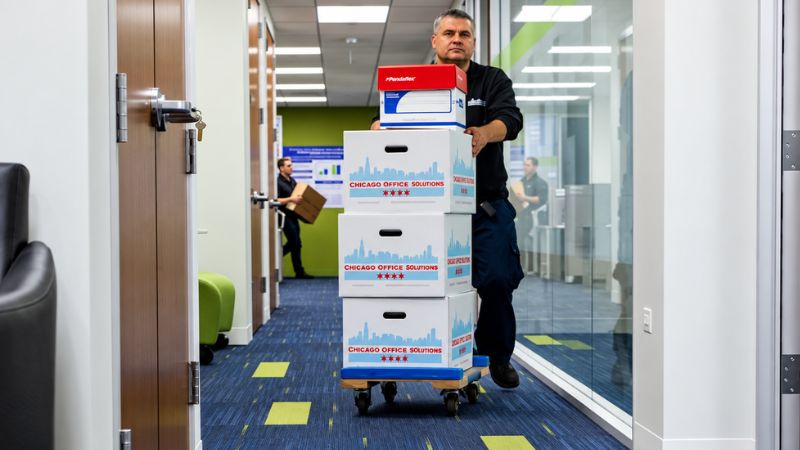
Professional Office Printer and Copier Moving Services in Chicago, IL
Moving a printer across the office is one thing. Moving a heavy copier through a Chicago high-rise, loading it into a truck, and getting it safely into a new office is another. The right equipment, route planning, packing, and handling can make the difference between a smooth relocation and a damaged machine or unexpected downtime.
Chicago Office Movers handles commercial moves throughout Chicago and the surrounding suburbs, including the packing and transportation of heavy equipment such as printers and copiers. The company’s moving teams can also coordinate the broader relocation, from planning and packing to working with building management and setting up equipment at the new location.
Chicago Office Movers moves printers, copiers, and office equipment for businesses across Chicago and the suburbs. Our team handles machinery moving, packing, and crating, and our Teamsters 705 union movers work in union-only buildings. Call 312-244-2246 or request a free move plan proposal to get started.
Frequently Asked Questions About Moving Office Printers and Copiers
Can you leave toner in a printer when moving?
Sometimes. Some models are designed to travel with toner installed, while others should have cartridges removed for certain kinds of transport. Check your printer's manual or the manufacturer's support site for your exact model.
Can you lay a printer on its side when moving?
No, in most cases. Laying a printer on its side can spill toner or ink inside the machine and shift internal parts. Keep it upright and level unless the manufacturer specifically says otherwise.
Can you move a printer without the original box?
Yes. Use a sturdy box sized close to the printer, foam padding on all sides, and corner protectors so it can't move inside the box. Large printers and copiers are better protected with moving blankets, stretch wrap, or a pallet.
How many people does it take to move a large copier?
It depends on the copier's weight, the route, and the equipment. A large floor-standing copier usually needs at least two trained movers with a heavy-duty dolly, and more for stairs or tight turns.
Can I move an office copier myself?
A small tabletop copier, maybe. A floor-standing commercial copier, it's not recommended. These machines are heavy and easy to tip, and moving a leased copier yourself may violate your lease or service agreement.
How do you move a printer down stairs?
Small printers can be boxed and carried by two people, keeping the box level. Heavy copiers need trained crews and stair-rated equipment, and many should use a freight elevator instead.

Senior Move Consultant | Chicago Office Movers
Vic Rothstein is a Senior Move Consultant with Chicago Office Movers, bringing decades of experience in commercial moving, logistics, and relocation planning. With a career spanning thousands of successful moves, Vic helps businesses navigate office relocations with careful planning, efficient execution, and minimal disruption.
Vic’s experience began on the moving crew, giving him a hands-on understanding of every aspect of the relocation process. Over the years, he progressed into leadership roles managing complex commercial projects, coordinating teams, improving operations, and overseeing large-scale moves.
Before joining Chicago Office Movers, Vic spent more than 35 years at Anderson Movers, where he developed extensive expertise in commercial relocations, packing, transportation, fleet management, and client coordination. His ability to anticipate challenges and create organized moving strategies helps businesses transition smoothly from one location to another.
A lifelong Chicago Northwest Side resident, Vic combines deep local knowledge with his background in construction and logistics to provide businesses with practical solutions for their relocation needs.
Through the Chicago Office Movers blog, Vic shares insights on office relocations, workplace planning, commercial moving strategies, and tips to help businesses complete their moves efficiently and successfully.
Tags: How to Pack a Printer, Office Equipment Moving